The best dual monitor arms match your screens’ size, weight and VESA pattern while fitting your desk securely. Compare side-by-side and stacked layouts, adjustment range and mounting details to find an arm that suits your workspace.
Quick Top Products
HUANUO FlowLift Dual Monitor Stand

- Fits two 13–32-inch screens, with a 4.4 to 19.8 lb range per arm.
- Supports full-motion positioning with tilt, swivel and rotation.
- Offers C-clamp or grommet mounting and built-in cable routing.
Best For: A wood-desk setup with two compatible screens and frequent repositioning.

HUANUO Vertical Dual Monitor Stand
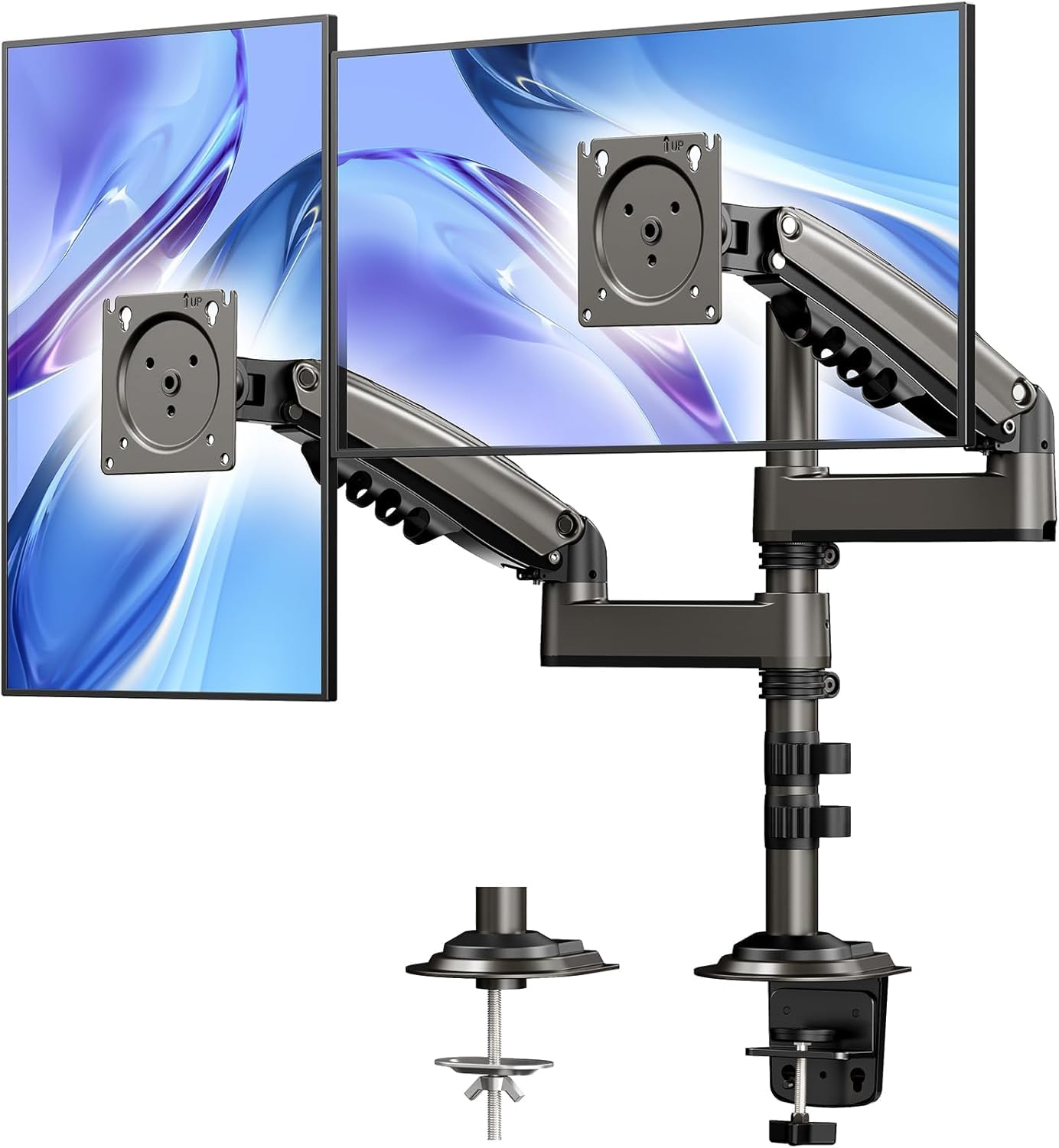
- Uses a stacked layout with an additional 17-inch extension.
- Raises monitors up to 25.19 inches and supports full rotation.
- Mounts with a C-clamp or grommet on desks 0.39–3.54 inches thick.
Best For: People who want one monitor positioned above the other and need extra vertical reach.
HUANUO HNDS7 Dual Monitor Stand
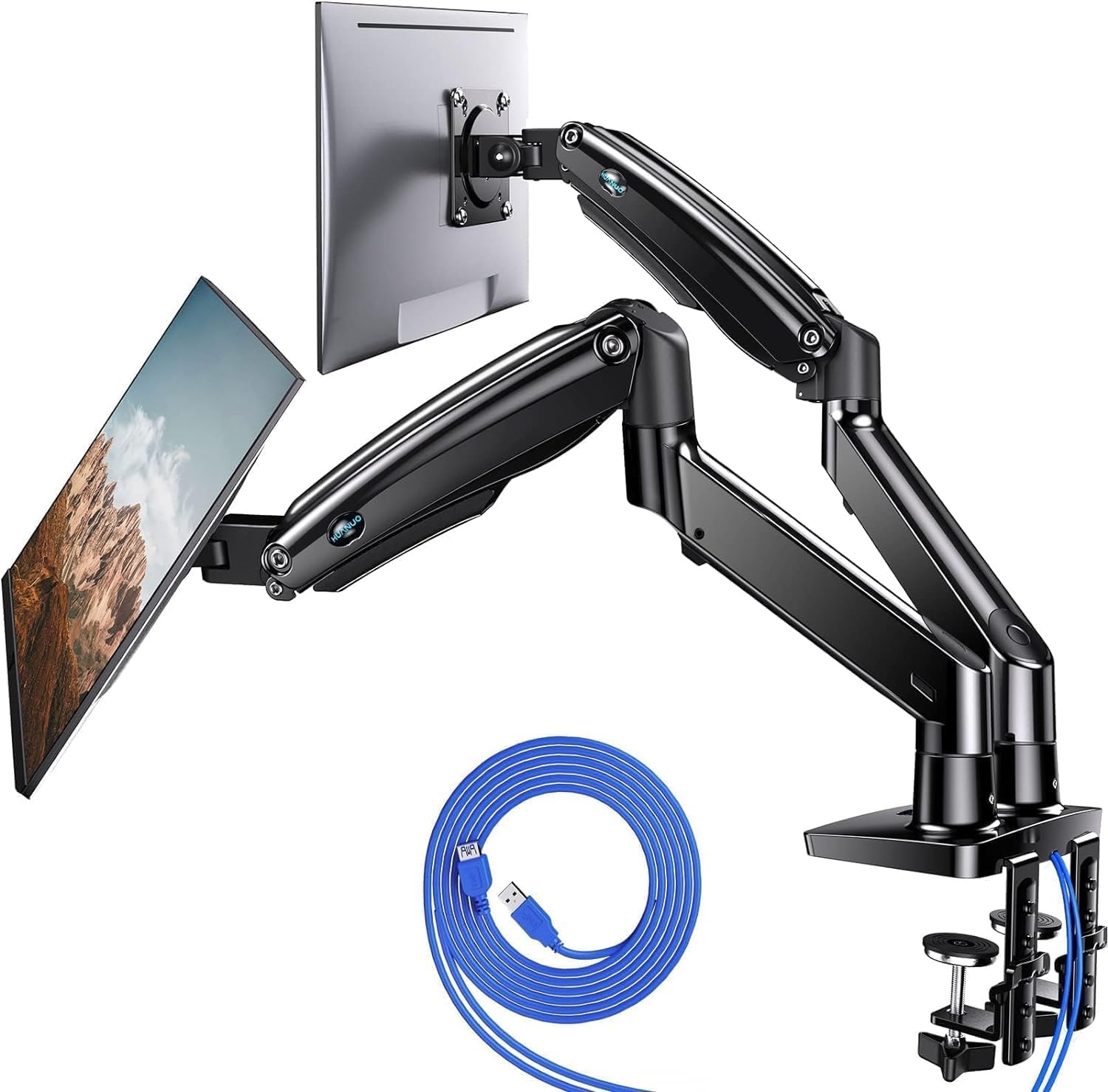
- Supports two 13–40-inch monitors up to 26.4 lbs per arm.
- Arms raise up to 21.1 inches and extend up to 25.59 inches.
- Includes two USB ports and a 5.25 ft USB cable.
Best For: A desk setup using larger or heavier monitors that also benefits from built-in USB ports.
HUANUO FlowLift Pro Dual Monitor Mount
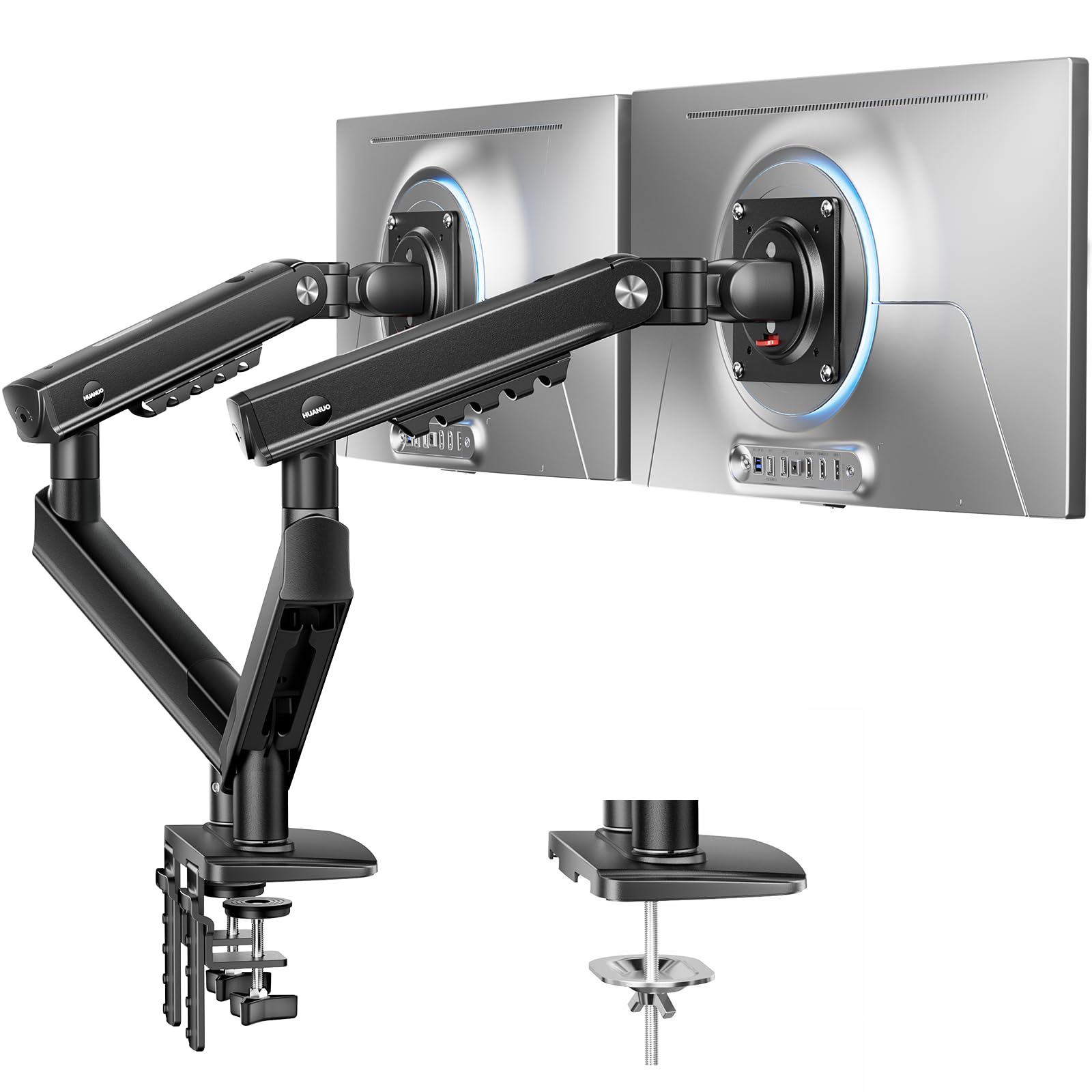
- Fits 13–27-inch monitors weighing 4.4 to 15.4 lbs each.
- The tool-free InstaMount VESA plate is made for quick attachment and detachment.
- A PrecisionView window provides visual feedback during tension adjustment.
Best For: Users with lighter screens who regularly adjust or detach their monitors.
HUANUO TitanLift Heavy Duty Monitor Arm
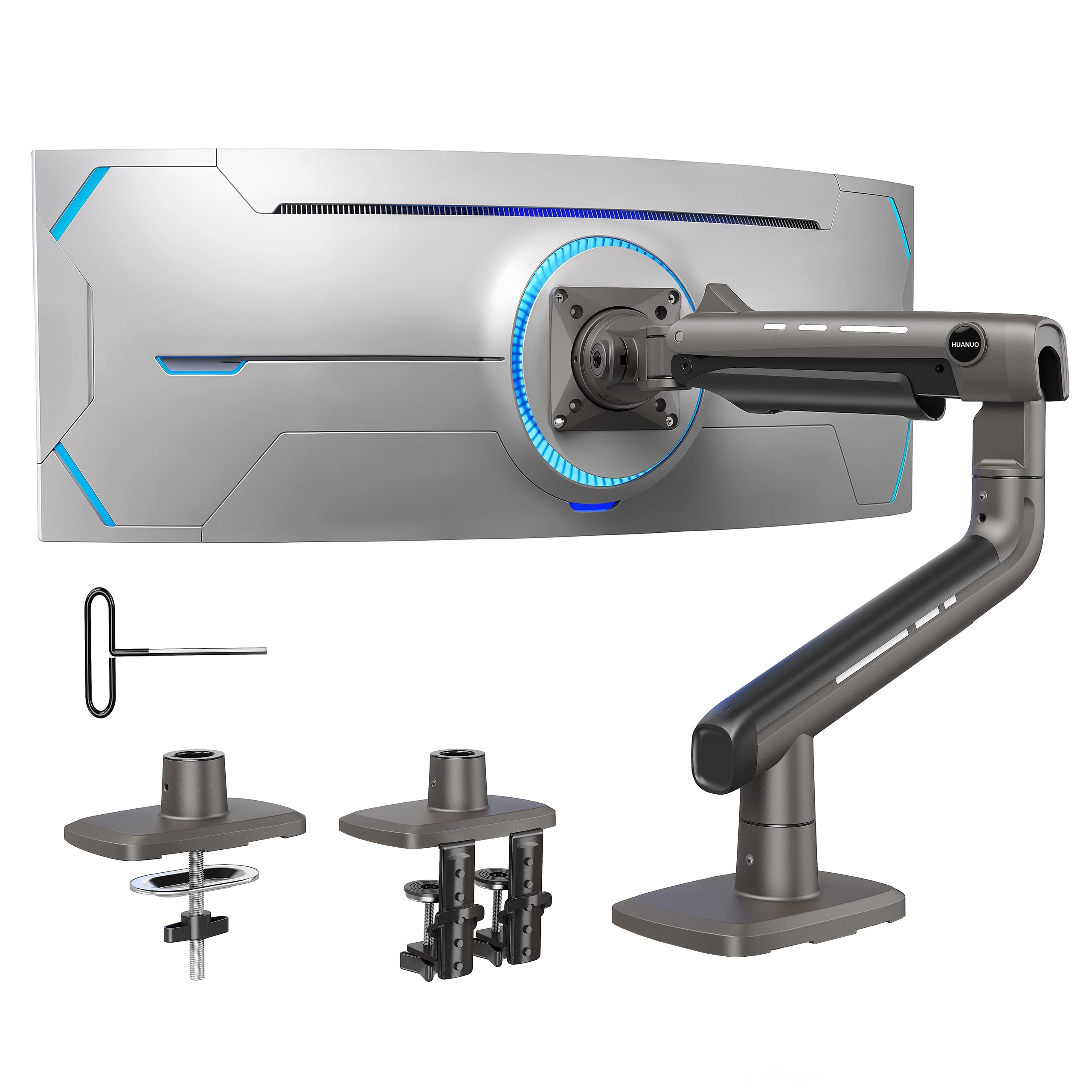
- Supports one ultrawide monitor up to 49 inches and 44 lbs.
- Offers arm extension and several monitor adjustments.
- Includes a quick-install VESA head and cable management.
Best For: A single ultrawide monitor owner seeking a high-capacity alternative, with room to add a second display separately.
Side-by-Side Adjustability
HUANUO FlowLift™ Dual Monitor Stand, Fully Adjustable Gaming Monitor Desk Mount for 13–32″ Computer Screens, Full Motion VESA 75x75/100x100 with C-Clamp & Grommet Base, Each Arm Holds 4.4 to 19.8 lbs
The HUANUO FlowLift supports two 13–32-inch monitors, with each arm rated for 4.4 to 19.8 lbs. Its full-motion adjustment includes tilt, swivel and 360-degree rotation, so you can bring screens closer, turn one to portrait or reposition them during the day. Cable management runs along the arms, and the mount can attach by C-clamp or grommet.
Check both monitors for VESA 75x75 or 100x100 holes and confirm your desk is wood, within the supported thickness range, and clear of underside beams. The desk restrictions make compatibility an important part of choosing this option.
Best For: A wood-desk setup with two compatible screens and frequent repositioning.
| Pros | Cons |
|---|---|
|
|
Choose this arm if you want two independently positioned screens and your desk fits its mounting requirements. Its range covers common screen sizes, and the portrait rotation can help when one display is used for code or long documents.
Before buying, check each screen’s weight and VESA pattern, plus the desk thickness and underside clearance. The wood-only recommendation is a meaningful constraint if your workstation has a glass or plastic top.
Tall Stacked-Screen Layout
HUANUO 17-32 Inch Dual Monitor Stand, Vertical Dual Monitor Mount, Monitor Stand 2 Monitors, Ergonomic Adjustable Tilt/Swivel/Rotate, Weight Max 19.8 lbs, VESA 75/100mm
This HUANUO mount arranges two compatible monitors vertically, a useful way to keep both displays in view when side-by-side placement takes too much desk width. Its extension raises screens up to 25.19 inches, and the mount allows tilt, swivel and full rotation for adjusting their viewing angles.
It supports screens up to 32 inches, each weighing 4.4 to 19.8 lbs, with VESA 75x75 or 100x100 holes. The clamp or grommet base fits desks 0.39–3.54 inches thick.
The manufacturer recommends solid wood or metal desks and rules out glass, so check the surface and mount clearance before choosing it.
Best For: People who want one monitor positioned above the other and need extra vertical reach.
| Pros | Cons |
|---|---|
|
|
Pick this layout when vertical screen placement fits your work better than spreading displays across the desk. The extra extension gives it more height than a conventional side-by-side arm, while tilt, swivel and rotation let you fine-tune the screens.
Check that both monitors fit the weight and VESA requirements and that the desk supports the clamp or grommet. The stacked arrangement is its defining feature, so consider whether the upper screen will sit comfortably in your workspace.
Heavy-Duty Dual-Screen Support
HUANUO Dual Monitor Stand for 13″–40″, Premium Dual Monitor Mount with USB, Height Adjustable Monitor Stand for 2 Monitors, VESA Mount with Clamp/Grommet Base, Holds 26.4lbs per Arm, HNDS7
The HUANUO HNDS7 is designed for two 13–40-inch screens, with each arm supporting up to 26.4 lbs. Its larger screens and heavier load capacity distinguish it from the other dual-monitor options here. The arms raise up to 21.1 inches and extend up to 25.59 inches, while tilt, swivel and rotation allow flexible positioning.
A dual C-clamp or bolt-through grommet mount attaches to desks up to 3.54 inches thick. It also includes two USB ports and a 5.25 ft USB cable.
Confirm monitor VESA compatibility and desk thickness before buying.
Best For: A desk setup using larger or heavier monitors that also benefits from built-in USB ports.
| Pros | Cons |
|---|---|
|
|
Consider the HNDS7 if your monitors are larger or heavier than those suited to lighter-duty dual arms. Its capacity reaches 26.4 lbs per arm, and the raised and extended arms offer positioning room for deeper desks.
The USB ports add convenient device charging access at the mount. Before buying, check each screen’s VESA pattern and weight, and confirm the clamp or grommet will fit your desk.
Those checks matter more here than the extra reach if your monitors are smaller.
Tool-Free Monitor Attachment
HUANUO FlowLift Pro Dual Monitor Mount for 13–27" Screens, MechaSpring Monitor Stand, Adjustable Monitor Arms for 2 Monitors with Tilt/Swivel/Rotation, Tool-Free VESA Mount, Max Load 15.4 lbs
The HUANUO FlowLift Pro supports two 13–27-inch monitors, each weighing 4.4 to 15.4 lbs and using VESA 75x75 or 100x100 mounting holes. Its tool-free InstaMount VESA plate is designed to speed up attaching or removing screens, while the PrecisionView window gives a visual cue when adjusting arm tension.
The mount also includes a dual C-clamp and a MechaSpring arm. The desk guidance recommends wood surfaces 0.59–3.54 inches thick and urges caution with irregular edges.
Check those limits along with your screen size and weight before choosing this option.
Best For: Users with lighter screens who regularly adjust or detach their monitors.
| Pros | Cons |
|---|---|
|
|
Choose the FlowLift Pro if your screens fall within its lighter, smaller range and you expect to change their position or remove them. The tool-free VESA plate is the clearest convenience feature, while the visual tension indicator helps with setup.
Its supported monitor range is narrower than options designed for larger screens, so verify weight and size first. Also check desk material, thickness and edge shape; the guidance specifically calls for caution with irregular edges.
Dual-Screen Alternative for an Ultrawide Desk
HUANUO TitanLift Heavy Duty Monitor Arm for Screens up to 49", Holds 44 lbs, Aluminum Ultrawide Screen Monitor Mount, Fully Adjustable Single Gaming Desk Mount with Dual C-Clamp, Max VESA 100x100mm
The HUANUO TitanLift is a single-monitor arm, so it is not a dual monitor mount. It is included as an alternative for a specific desk need: supporting one ultrawide screen, including models up to 49 inches and 44 lbs. The arm offers tilt, swivel, rotation and extension, plus a quick-install VESA head and cable management.
It supports VESA 75x75 or 100x100 patterns. The wooden desk recommendation requires a thickness of 0.8–3.5 inches and clear space beneath the mounting point.
Choose it only if one ultrawide arm is useful for your setup; it does not mount two screens.
Best For: A single ultrawide monitor owner seeking a high-capacity alternative, with room to add a second display separately.
| Pros | Cons |
|---|---|
|
|
This arm does not meet the core dual-monitor use case because it holds one screen. It may suit someone who searched for dual monitor arms while actually planning a single ultrawide display; its stated capacity reaches 49 inches and 44 lbs. For a two-screen setup, choose one of the genuine dual mounts instead.
If considering the TitanLift for an ultrawide, verify VESA fit, desk thickness and underside clearance before purchase.
How to Choose Dual Monitor Arms
How We Picked Best Dual Monitor Arms
These picks cover several distinct desk needs: flexible side-by-side positioning, a tall stacked layout, support for larger and heavier monitors, and tool-free screen attachment. Each dual mount has stated size, weight and VESA limits, so compatibility is central to the choice.
One candidate is a single ultrawide arm rather than a dual mount; it is identified as an alternative for that narrower use, not as a two-screen solution.
Comparing Dual Monitor Arms
The main differences are layout, screen capacity and setup features. The FlowLift offers broad full-motion adjustment for two 13–32-inch displays, while the vertical HUANUO mount places screens one above the other and raises them higher.
The HNDS7 supports two screens up to 40 inches and 26.4 lbs per arm, and adds USB ports. The FlowLift Pro fits smaller, lighter monitors and adds a tool-free VESA plate with a visual tension indicator.
| Product | Standout features | Best for |
|---|---|---|
| HUANUO FlowLift Dual Monitor StandCheck Price |
| A wood-desk setup with two compatible screens and frequent repositioning. |
| HUANUO Vertical Dual Monitor StandCheck Price |
| People who want one monitor positioned above the other and need extra vertical reach. |
| HUANUO HNDS7 Dual Monitor StandCheck Price |
| A desk setup using larger or heavier monitors that also benefits from built-in USB ports. |
| HUANUO FlowLift Pro Dual Monitor MountCheck Price |
| Users with lighter screens who regularly adjust or detach their monitors. |
| HUANUO TitanLift Heavy Duty Monitor ArmCheck Price |
| A single ultrawide monitor owner seeking a high-capacity alternative, with room to add a second display separately. |
Check Screen and Desk Compatibility
Confirm the weight and size of each monitor separately, then check its rear VESA pattern. A screen that fits the size range may still exceed the arm’s weight limit.
Also inspect the desk surface, thickness and underside. Several mounts recommend wood desks, and a crossbeam or panel can obstruct installation.
Mounting methods vary: some arms offer both C-clamp and grommet options, so make sure the relevant edge or hole works for your desk.
Choose a Layout That Fits Your Work
Side-by-side monitor arms spread displays horizontally and allow independent positioning; the FlowLift and HNDS7 also support rotating a screen to portrait. A vertical dual monitor mount conserves desk width by stacking screens, but the upper display’s height should fit how you work.
Consider whether you switch between displays frequently, keep one screen in a fixed position or regularly move monitors, since the FlowLift Pro’s tool-free plate targets easier attachment and removal.
Who Should Buy Which Dual Monitor Arm?
Choose the FlowLift for two mid-size screens and flexible positioning, provided the desk meets its wood-surface guidance. The vertical HUANUO model suits a stacked arrangement with extra height.
For larger or heavier dual displays, check the HNDS7’s per-arm capacity and reach. The FlowLift Pro is a better fit for smaller, lighter screens when tool-free attachment is useful.
The TitanLift suits a single ultrawide monitor; it does not serve as a dual arm.