The TP-Link BE10000 review comes down to whether your home can make practical use of tri-band Wi-Fi 7 and several multi-gig wired ports.
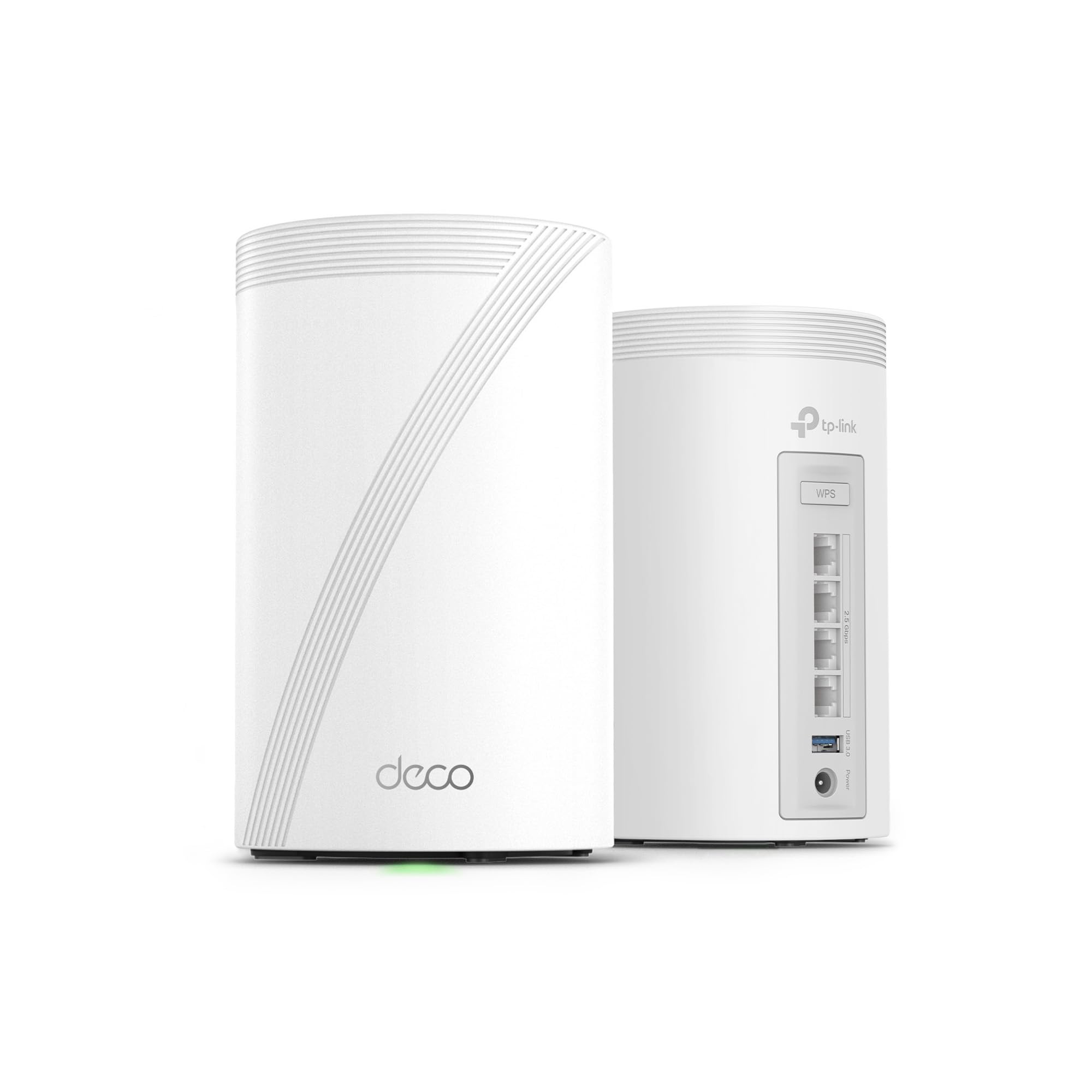
The two-unit Deco BE63 is designed for broad mesh coverage and a busy mix of wireless and wired devices.
Deco BE63 Review Summary
The quick verdict
600+ ratings
Read Amazon ReviewsTP-Link Deco BE63
A fit for larger homes and busy networks that can use tri-band Wi-Fi 7, multi-gig wired connections, and a two-node mesh.
- Tri-band Wi-Fi 7 with combined BE10000 class and listed maximum link speeds of up to 5,188 Mbps on 6 GHz, 4,324 Mbps on 5 GHz, and 574 Mbps on 2.4 GHz.
- Two Deco units are rated to cover up to 5,800 square feet and support over 200 devices.
- Four 2.5G WAN/LAN ports and one USB 3.0 port provide wired connectivity options.
- Wireless and wired backhaul can work together to balance traffic between Deco units; backhaul requires at least two Deco units.

Pros
- Three Wi-Fi bands, including 6 GHz, give compatible devices additional capacity options.
- Four 2.5G ports make it easier to connect multi-gig equipment or plan a wired mesh backhaul.
Consider before buying
- The up-to coverage and device figures cannot predict performance in a specific home; layout, walls, distance, and device compatibility matter.
- A separate modem is needed, so buyers should account for their existing internet equipment and service.
Read the full review summary
The Deco BE63 combines three Wi-Fi bands, four 2.5G WAN/LAN ports per system, USB 3.0, VPN support, and HomeShield features in a two-pack mesh system.
TP-Link gives a maximum coverage figure of up to 5,800 square feet and support for over 200 devices; actual wireless results depend on the home layout, distance, and obstacles.
It is most compelling for households that want a Wi-Fi 7 upgrade with room for multi-gig wired equipment and a mesh layout, especially where a single router has trouble reaching every area.
Buyers should match the system to their internet service, wired devices, and home plan: all Wi-Fi routers need a separate modem, and the broadest coverage figure is a ceiling rather than a guarantee for every floor plan.
The buying factors
Deco BE63 Scorecard
Editorial scores reflect listed features and buyer fit; they are not laboratory measurements or customer ratings.
Wireless feature set
Tri-band Wi-Fi 7 with a dedicated 6 GHz band gives the system a strong range of wireless options.
Wired connectivity
Four 2.5G WAN/LAN ports and USB 3.0 provide useful flexibility for wired network setups.
Mesh coverage potential
A two-pack is rated for up to 5,800 square feet, though walls and placement affect real coverage.
Busy-household capacity
Support for over 200 devices suits a crowded connected home, subject to network conditions.
Network management
The Deco app handles setup and firmware updates, while roaming aims to maintain one unified network.
Security and VPN tools
HomeShield and VPN client and server support add useful network controls for households that want them.
Key Features and Specifications of Deco BE63
- Tri-band Wi-Fi 7 with combined BE10000 class and listed maximum link speeds of up to 5,188 Mbps on 6 GHz, 4,324 Mbps on 5 GHz, and 574 Mbps on 2.4 GHz.
- Two Deco units are rated to cover up to 5,800 square feet and support over 200 devices.
- Four 2.5G WAN/LAN ports and one USB 3.0 port provide wired connectivity options.
- Wireless and wired backhaul can work together to balance traffic between Deco units; backhaul requires at least two Deco units.
- A single network name and AI-driven roaming are designed to help devices move between mesh nodes.
- HomeShield includes network protection, parental controls, and IoT security features; VPN client and server support lets home devices connect to remote VPN servers.
- The Deco app supports setup, management, and firmware updates. The system works with prior Wi-Fi generations and other Deco products; a separate modem is required.
Pros and Cons of Deco BE63
Pros
- Three Wi-Fi bands, including 6 GHz, give compatible devices additional capacity options.
- Four 2.5G ports make it easier to connect multi-gig equipment or plan a wired mesh backhaul.
- The two-pack is designed for broad home coverage and a large device count.
- VPN support and HomeShield features add network tools beyond basic wireless access.
Consider before buying
- The up-to coverage and device figures cannot predict performance in a specific home; layout, walls, distance, and device compatibility matter.
- A separate modem is needed, so buyers should account for their existing internet equipment and service.
- The 6 GHz band and Wi-Fi 7 features are most useful when household devices can use them; older devices will not take full advantage of those bands.
Who Should Buy Deco BE63?
Good fit
Consider the Deco BE63 if you are building a mesh network for a large or demanding home and want tri-band Wi-Fi 7 alongside multi-gig wired connections.
Its four 2.5G ports are particularly useful when you have wired devices or can connect mesh nodes by Ethernet; the design supports wired and wireless backhaul together.
It also suits households with many connected devices that value app-based setup, roaming across one network name, and built-in VPN options.
Before choosing it, map likely node locations and check whether your modem, internet plan, and Wi-Fi clients can use the capabilities you care about.
Who should skip it
Skip this system if your main goal is simply to extend coverage in a smaller home and you do not expect to use the third band, Wi-Fi 7, or multi-gig ports.
A simpler mesh configuration may be a better match for that workload.
Look elsewhere if you need guaranteed coverage or speeds for a particular floor plan. The stated maximums are not a promise of results through walls or at every point in a home.
How the Deco BE63 fits a Wi-Fi 7 home
Tri-band capacity and device fit
The BE63 separates traffic across 2.4, 5, and 6 GHz bands, with the 6 GHz band carrying the highest listed maximum speed.
That gives compatible Wi-Fi 7 devices more room to connect, while older devices can continue using earlier Wi-Fi generations. The headline wireless figures describe maximum band rates, not the speed each device will receive.
Wired ports and mesh placement
Four 2.5G WAN/LAN ports create room for wired devices and a multi-gig connection, while the system can use wired and wireless links between nodes.
Ethernet backhaul can be useful when node locations have cable access; the two-unit requirement means the supplied pack provides the minimum number of units for that mesh link.
Placement still matters: a second node cannot compensate fully for a poor signal path or unsuitable location.
Coverage and household scale
The up-to 5,800-square-foot coverage figure and over-200-device capacity position the two-pack for homes with wider footprints or many connected devices.
Treat those numbers as design targets, not guarantees, since the product description itself notes that obstacles, distance, and conditions affect performance.
For a home with difficult walls or separated floors, plan node locations around the areas that need service.
Controls, security, and setup
The Deco app is the setup and management point, including firmware updates.
HomeShield adds network protection, parental-control, and IoT-security features, while VPN client and server support can route home devices to remote VPN services without installing separate VPN software on each device.
Buyers who depend on particular parental-control or security options should check that the specific controls they want are included in their intended setup.
Alternatives to Deco BE63
Whole Home & Mesh Wi-Fi Systems alternative
2,000+ ratings
Read Amazon ReviewsTP-Link Deco XE75
Choose the BE63 if you want Wi-Fi 7 and its four 2.5G ports in a two-unit system.
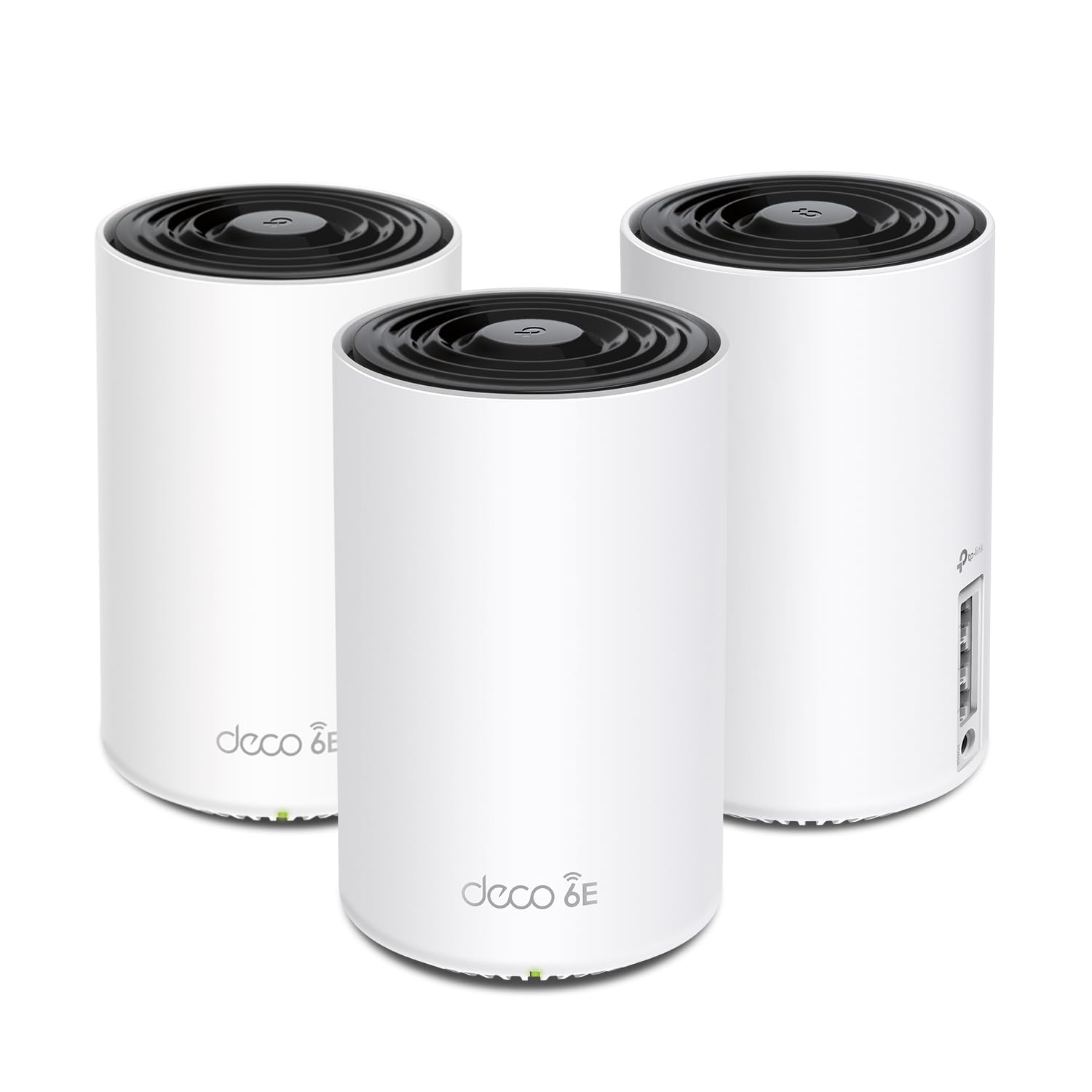
The XE75 is a relevant option when you prefer a three-pack and its higher stated coverage figure, and Wi-Fi 6E meets your needs.
- The Deco XE75 is a Wi-Fi 6E tri-band three-pack rated for up to 7,200 square feet, with combined speeds up to 5,400 Mbps and support for 200 devices.
- Its 6 GHz band can serve as backhaul by default or be switched to a client network.
- The Deco BE63 brings Wi-Fi 7 tri-band networking, four 2.5G ports, and a stated up-to 5,800-square-foot coverage figure in a two-pack.
Whole Home & Mesh Wi-Fi Systems alternative
800+ ratings
Read Amazon ReviewsTP-Link Deco 7 BE23
Both are two-unit Wi-Fi 7 mesh systems.
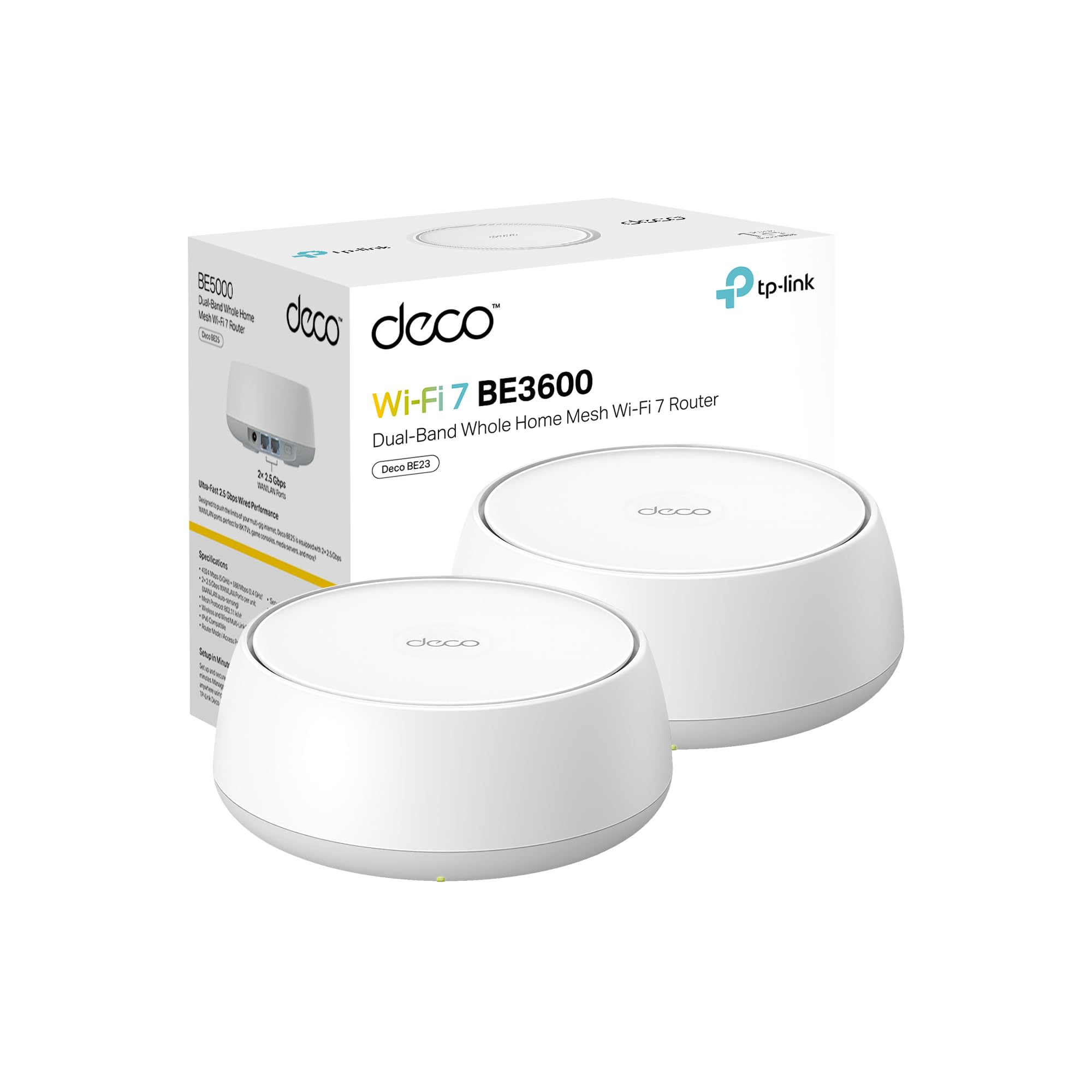
The BE63 suits buyers who prioritize tri-band operation, the higher stated coverage figure, and four 2.5G ports; the BE23 is a more focused fit when dual-band Wi-Fi 7 and two 2.5G ports per unit meet the planned setup.
- The Deco 7 BE23 is a dual-band Wi-Fi 7 two-pack rated for up to 4,500 square feet and 150 devices, with two 2.5G WAN/LAN ports per unit.
- It supports MLO and simultaneous wired and wireless backhaul.
- The Deco BE63 uses three bands, including 6 GHz, and provides four 2.5G ports in its two-pack.
Is Deco BE63 Worth It?
The TP-Link Deco BE63 is worth considering for a large, device-heavy home that can benefit from tri-band Wi-Fi 7, multi-gig wired connections, and mesh coverage.
Its feature mix makes it a capable foundation for a network with compatible clients and a thoughtful node layout.
Buy it when those capabilities solve a real need in your home, and remember that the coverage and speed figures are maximums rather than guaranteed household results.
If your devices and network are more modest, a simpler mesh system may be sufficient.
Your review at a glance
600+ ratings
Read Amazon ReviewsTP-Link Deco BE63
A fit for larger homes and busy networks that can use tri-band Wi-Fi 7, multi-gig wired connections, and a two-node mesh.
- Tri-band Wi-Fi 7 with combined BE10000 class and listed maximum link speeds of up to 5,188 Mbps on 6 GHz, 4,324 Mbps on 5 GHz, and 574 Mbps on 2.4 GHz.
- Two Deco units are rated to cover up to 5,800 square feet and support over 200 devices.
- Four 2.5G WAN/LAN ports and one USB 3.0 port provide wired connectivity options.
- Wireless and wired backhaul can work together to balance traffic between Deco units; backhaul requires at least two Deco units.