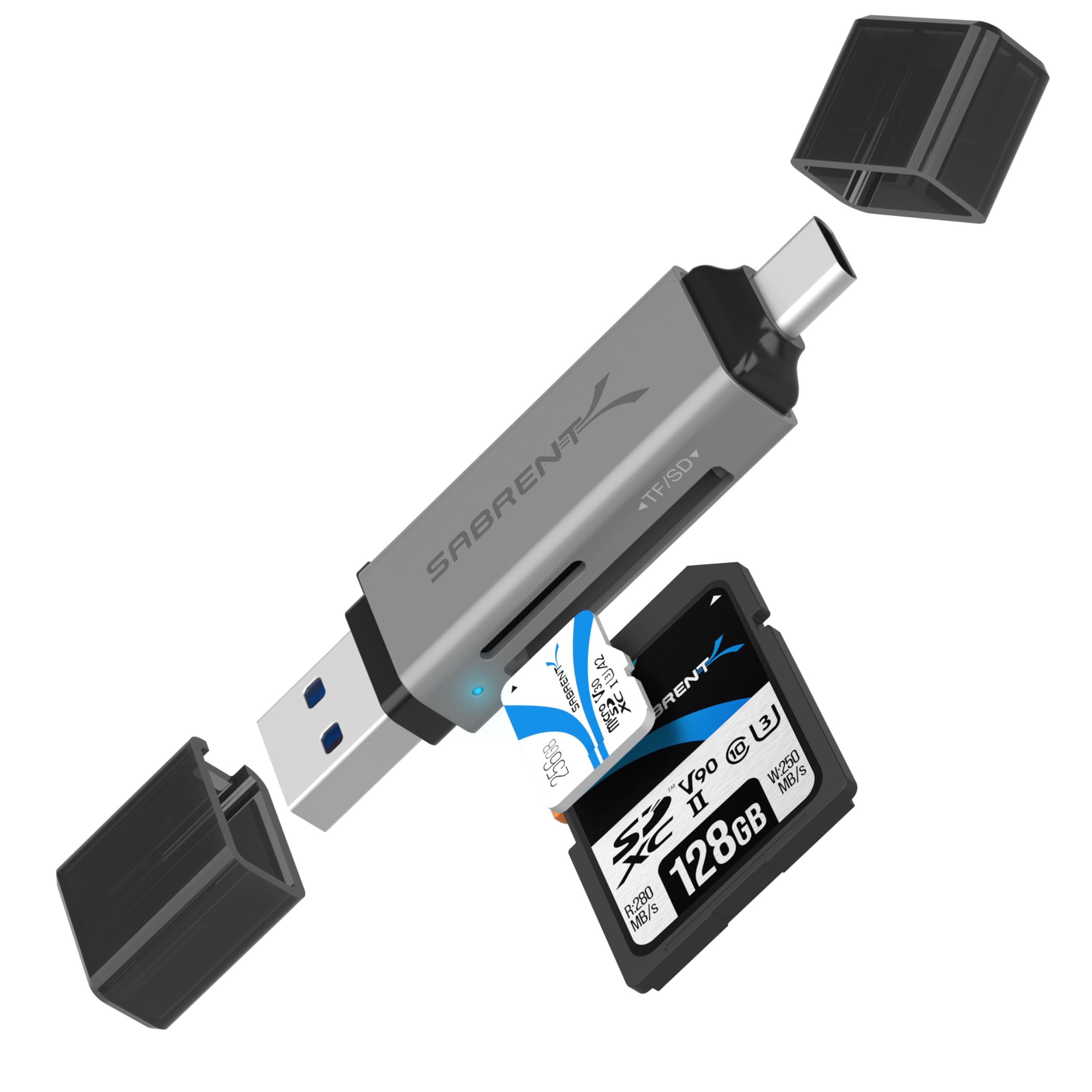
The SABRENT USB-C & USB-A SD/Micro SD Card Reader review is for anyone who wants one compact adapter for accessing memory cards across both newer USB-C and traditional USB-A devices.
Its dual card slots, plug-and-play setup, and USB 3.0 interface make it a straightforward option for routine photo and file transfers.
SABRENT Card Reader Review Summary
The quick verdict
2,000+ ratings
Read Amazon ReviewsSABRENT USB-C & USB-A SD/Micro SD Card Reader
A handy fit for people who move SD or microSD files between newer USB-C devices and traditional USB-A computers.
- USB-C and USB-A connectivity for transferring files across supported laptops, PCs, and Android devices.
- Two card slots for SD and microSD cards.
- Supports SD, SDHC, SDXC, microSD, microSDHC, and microSDXC formats.
- USB 3.0 interface with speeds up to 5Gbps and backward compatibility with USB 2.0.

Pros
- Combines USB-C and USB-A connections in one reader.
- Covers common SD and microSD card families, including higher-capacity SDXC and microSDXC formats.
Consider before buying
- Android use is limited to compatible devices, so check that the specific phone or tablet supports card-reader access.
- The up-to 5Gbps interface is a maximum; transfer speed also depends on the card, host connection, and files.
Read the full review summary
This reader combines USB-C and USB-A connectivity with slots for standard SD and microSD cards, covering many common cards used in cameras and other everyday devices.
The dual connector design can make it easier to move files between different computers without carrying separate readers, while backward compatibility supports USB 2.0 hosts.
It is best suited to people who value broad port and card-format coverage in a small accessory.
The stated USB 3.0 interface supports speeds up to 5Gbps, but actual transfers depend on the host port, card, and files involved; buyers with specialized cards or device compatibility needs should confirm their setup before relying on it.
The buying factors
SABRENT Card Reader Scorecard
Editorial scores reflect listed features and buyer fit; they are not laboratory measurements or customer ratings.
Port flexibility
USB-C and USB-A connections suit a mix of newer and traditional devices.
Card-format coverage
The two slots cover SD and microSD families, including SDHC, SDXC, microSDHC, and microSDXC.
Transfer interface
USB 3.0 offers a stated maximum of 5Gbps and also supports USB 2.0 hosts.
Setup simplicity
The plug-and-play design requires no drivers or software on supported devices.
Portability
A lightweight form and built-in activity indicator suit travel and camera-bag use.
Device compatibility
Windows, macOS, and compatible Android devices are named, with Android support appropriately limited to compatible devices.
Key Features and Specifications of SABRENT Card Reader
- USB-C and USB-A connectivity for transferring files across supported laptops, PCs, and Android devices.
- Two card slots for SD and microSD cards.
- Supports SD, SDHC, SDXC, microSD, microSDHC, and microSDXC formats.
- USB 3.0 interface with speeds up to 5Gbps and backward compatibility with USB 2.0.
- Plug-and-play setup on Windows, macOS, and compatible Android devices; no drivers or software required.
- Compact, lightweight design with a built-in LED activity indicator.
Pros and Cons of SABRENT Card Reader
Pros
- Combines USB-C and USB-A connections in one reader.
- Covers common SD and microSD card families, including higher-capacity SDXC and microSDXC formats.
- Plug-and-play setup keeps routine access simple on supported systems.
- Compact form and activity light are useful for mobile file transfers.
Consider before buying
- Android use is limited to compatible devices, so check that the specific phone or tablet supports card-reader access.
- The up-to 5Gbps interface is a maximum; transfer speed also depends on the card, host connection, and files.
- The described slots cover SD and microSD families; confirm your card type before buying if you use a less common format.
Who Should Buy SABRENT Card Reader?
Good fit
Consider this reader if your workflow moves photos or other files between computers with different USB port types.
Having both USB-C and USB-A connections can reduce the need to keep separate readers for newer and older machines, while the two slots cover commonly used SD and microSD cards.
It also makes sense as a portable everyday accessory for compatible camera, laptop, or Android-device workflows. The USB 3.0 interface and plug-and-play setup are useful conveniences, provided your card and host can take advantage of the connection.
Who should skip it
Look elsewhere if your essential workflow depends on a card format beyond the listed SD and microSD families, or if a specific Android device has not been confirmed as compatible.
If your priority is guaranteed real-world transfer speed, use the performance of your particular card and host as the deciding factor; the stated interface maximum alone cannot establish the speed you will see.
How the SABRENT Card Reader fits a mixed-device workflow
Two connector types reduce port friction
USB-C and USB-A support is the defining convenience here.
It gives buyers a way to access supported memory cards on devices with either connection type, which can be helpful when files move between a newer laptop and a computer with traditional USB-A ports.
Card support covers familiar camera media
The reader is designed for SD and microSD families, including SDHC and SDXC variants.
That makes it relevant to common camera, dash-cam, and everyday-device cards; buyers should still check the exact format in their own equipment when compatibility is essential.
The speed ceiling is not a transfer guarantee
USB 3.0 is specified at up to 5Gbps, with USB 2.0 backward compatibility. This describes the interface capability, not a promise that every card and computer will transfer at that rate.
The card, host port, and workload all shape the practical result.
Simple setup favors routine access
Plug-and-play operation without drivers or software makes the reader convenient for occasional file access and travel.
The LED activity indicator provides a visible sign of activity, while the compact, lightweight design should fit naturally in a laptop bag or camera case.
Alternatives to SABRENT Card Reader
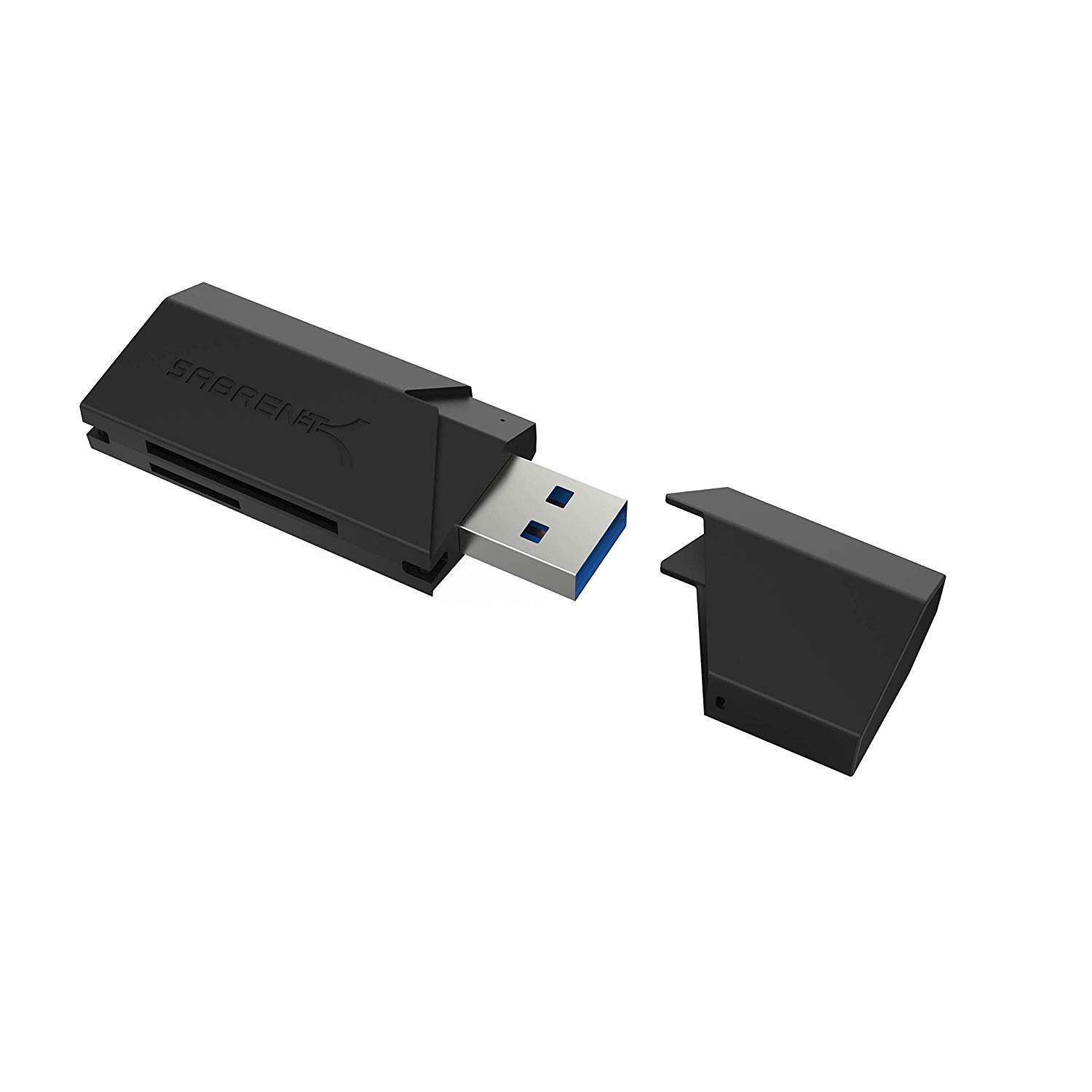
The supplied competing option has USB 3.0 connectivity and a different set of listed card formats; choose based on your device ports and card type.
USB charging alternative
10,000+ ratings
Read Amazon ReviewsSABRENT SuperSpeed 2 Slot USB 3.0 Card Reader (CR-UMSS)
Choose the CR-BCA2 when having both USB-C and USB-A connections matters.
The CR-UMSS may suit a buyer whose host uses USB 3.0 and who values its listed MMC and T-Flash support or Linux compatibility; confirm the connection and system fit for your setup.
- The CR-UMSS is a two-slot USB 3.0 reader supporting SD, SDHC, SDXC, MMC, microSD, and T-Flash, and it is described for Windows, Mac, Linux, and certain Android systems.
- Its connection is USB 3.0, and it draws power from the USB port.
- The CR-BCA2 pairs USB-C and USB-A connectivity with SD and microSD card support, making it suitable for buyers who move between both port types.
Is SABRENT Card Reader Worth It?
The SABRENT USB-C & USB-A SD/Micro SD Card Reader is worth considering as a compact, versatile choice for routine card access across supported devices.
Its combination of USB-C, USB-A, two card slots, plug-and-play operation, and USB 3.0 makes a practical feature set for common file-transfer needs.
Before buying, check that your device supports the reader and that your card is among the listed formats. Treat 5Gbps as an interface maximum rather than an expected transfer rate; your card and host determine the experience.
Your review at a glance
2,000+ ratings
Read Amazon ReviewsSABRENT USB-C & USB-A SD/Micro SD Card Reader
A handy fit for people who move SD or microSD files between newer USB-C devices and traditional USB-A computers.
- USB-C and USB-A connectivity for transferring files across supported laptops, PCs, and Android devices.
- Two card slots for SD and microSD cards.
- Supports SD, SDHC, SDXC, microSD, microSDHC, and microSDXC formats.
- USB 3.0 interface with speeds up to 5Gbps and backward compatibility with USB 2.0.