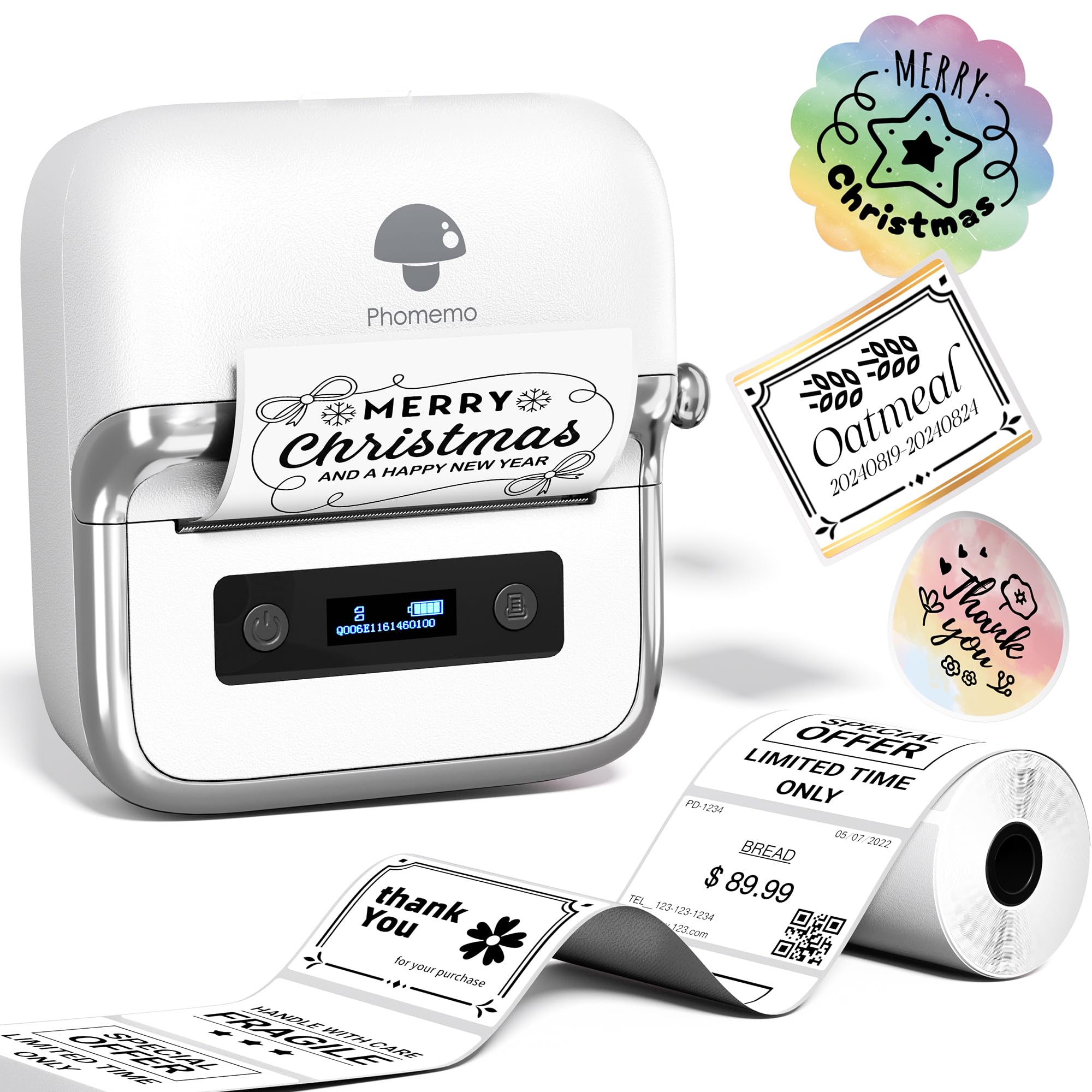
The Phomemo M250 Label Maker Machine review centers on a portable thermal printer designed for everything from household labels to small-business barcodes.
Its broad label-width range, app-based design tools, and phone, tablet, and computer support make it more adaptable than a basic handheld labeler, though it is not built for standard 4 × 6-inch shipping labels.
Phomemo M250 Review Summary
The quick verdict
700+ ratings
Read Amazon ReviewsPhomemo M250
A flexible choice for home organizers and small businesses that need portable labels wider than mini handheld models can print.
- Prints labels 0.78 to 3.14 inches wide for addresses, barcodes, QR codes, cables, names, jars, food, and general organization.
- Uses thermal printing, so printing does not require ink or toner.
- The 2,200 mAh battery is rated for up to 5,000 labels per charge; print speed is listed at 30–50 mm per second.
- Automatic sleep mode activates after five minutes of inactivity to conserve power.

Pros
- Wider label support than compact tape-style labelers, useful for longer addresses and labels with more information.
- A wide set of app tools supports both quick text labels and more customized designs.
Consider before buying
- It does not support 4 × 6-inch labels, so it is not a fit for standard full-size shipping labels.
- Computer printing requires a USB connection plus the appropriate driver and Labelife software, rather than the mobile app workflow.
Read the full review summary
The M250 combines a compact 390 g body with support for labels from 0.78 to 3.14 inches wide.
That opens up more room for addresses, product details, QR codes, and larger organizational labels, while Bluetooth printing from mobile devices and USB connection from a computer give it more than one workflow.
Its Print Master app includes templates, fonts, symbols, multiple languages, OCR, image and voice input, and batch printing.
The design is a good fit for home users who want customizable labels and small sellers who make varied product or mailing labels; buyers focused on high-volume 4 × 6 shipping should choose a printer made for that format.
The buying factors
Phomemo M250 Scorecard
Editorial scores reflect listed features and buyer fit; they are not laboratory measurements or customer ratings.
Label-size flexibility
The 0.78–3.14-inch width range accommodates a broad mix of organization and business labels.
Mobile design options
The app supports varied content and offers more than 200 templates, over 110 fonts, and 1,500 symbols.
Device compatibility
Bluetooth supports Android, iOS, and iPad, while USB and software support Windows 7 or later and macOS.
Portability
At 390 g, it is light enough to carry, and its battery-powered design supports use away from a desk.
Battery capacity
The 2,200 mAh battery is rated for up to 5,000 labels per charge, giving it useful untethered potential.
Shipping-label suitability
Its maximum supported width is below the 4-inch width of standard 4 × 6 shipping labels.
Key Features and Specifications of Phomemo M250
- Prints labels 0.78 to 3.14 inches wide for addresses, barcodes, QR codes, cables, names, jars, food, and general organization.
- Uses thermal printing, so printing does not require ink or toner.
- The 2,200 mAh battery is rated for up to 5,000 labels per charge; print speed is listed at 30–50 mm per second.
- Automatic sleep mode activates after five minutes of inactivity to conserve power.
- Print Master offers text, QR codes, OCR, images, voice recognition, and batch printing, alongside more than 1,500 symbols, 200 templates, 110 fonts, and 20 languages.
- Connects to Android, iOS, and iPad devices over Bluetooth; Windows 7 or later and macOS computers connect by USB with the driver and Labelife software.
Pros and Cons of Phomemo M250
Pros
- Wider label support than compact tape-style labelers, useful for longer addresses and labels with more information.
- A wide set of app tools supports both quick text labels and more customized designs.
- Mobile Bluetooth and computer USB workflows suit different workspaces and preferences.
- The rechargeable battery and low weight make it practical to move between rooms or work areas.
Consider before buying
- It does not support 4 × 6-inch labels, so it is not a fit for standard full-size shipping labels.
- Computer printing requires a USB connection plus the appropriate driver and Labelife software, rather than the mobile app workflow.
- A thermal printer requires compatible thermal label stock; check the label format and material you plan to use before buying refills.
Who Should Buy Phomemo M250?
Good fit
Consider the M250 if your labeling ranges from home storage and kitchen organization to product identification, addresses, or barcodes.
The width range gives you room to use larger labels when small tape labels would feel cramped, while the portable design means the printer need not stay at one workstation.
It is especially appealing if you expect to design labels on a phone or tablet and value templates, QR codes, OCR, or batch printing.
The Print Master toolset offers options for both simple labels and more detailed layouts, and computer USB support gives you another route for preparing jobs.
Before choosing it, confirm that the label widths you use fall within its supported range and that your operating system and connection method match your setup.
If you need 4 × 6 shipping labels, select a printer designed for that size instead.
Who should skip it
Skip the M250 if your main job is printing standard 4 × 6 postage labels. Its maximum supported width is 3.14 inches, so it cannot serve that specific need.
It may also be more printer than you need if you only make small, simple household labels and do not need the wider format, computer connection, or extensive design tools.
What the Phomemo M250 Means for Everyday Labeling
A useful middle ground in label width
The M250 supports widths from 0.78 to 3.14 inches, which gives it room for more than narrow name or storage labels.
Wider formats can make addresses, product information, and barcodes easier to lay out, while the explicit 4 × 6-inch limit makes clear that the printer sits outside standard shipping-label territory.
An app suited to varied jobs
Print Master combines templates and design elements with tools such as OCR, voice recognition, and batch printing.
That range can help when labeling involves repeated items or different kinds of content, although buyers should consider whether they prefer designing and sending jobs from a phone or tablet rather than a dedicated keyboard and display.
Portable printing with two connection paths
At 390 g, the M250 is designed to be moved around, and its rechargeable battery supports printing without a nearby outlet.
Bluetooth serves mobile devices, while computer users connect by USB and install the driver and Labelife software; that distinction matters if a desktop workflow is central to the purchase.
Match the refill and print format to the task
Thermal printing removes the need for ink or toner, but the printer still depends on compatible thermal labels.
Its supported width is broad for a compact printer, yet buyers should check the size and material of the label stock required for their actual jobs before settling on a refill plan.
Alternatives to Phomemo M250
Desktop Label Printers alternative

700+ ratings
Read Amazon ReviewsPhomemo M220
Compare the M220 if you want a similar-width Phomemo thermal label printer and its described app and connection features suit your workflow.
The M250 is the clearer fit if the listed breadth of its design library and its up-to-5,000-label battery claim are priorities.
- The M220 supports the same 0.78–3.14-inch width range, with Print Master tools including text, images, barcodes, QR codes, OCR, and templates; it also supports Bluetooth for phones and tablets and USB for computers.
- The M250 supports labels up to 3.14 inches wide and lists an app with more than 200 templates, over 110 fonts, and 1,500 symbols.
Desktop Label Printers alternative

6,000+ ratings
Read Amazon ReviewsPhomemo M110
Choose the M110 if your work centers on labels within its narrower 20–50 mm range and phone-based printing is enough. The M250 is more suitable when wider labels or computer connectivity are important.
- The M110 supports label widths from 20 to 50 mm and is described for barcode, clothing, jewelry, retail, mailing, and household labels.
- It connects to Android and iOS through Print Master.
- The M250 supports wider labels up to 3.14 inches and works with mobile devices as well as Windows and macOS computers.
Is Phomemo M250 Worth It?
The Phomemo M250 is worth considering if you want a portable thermal label maker that can handle varied label widths, customizable app designs, and both mobile and computer workflows.
Its battery rating and broad content tools add flexibility for home organization and small-business labeling.
Buy it only if labels up to 3.14 inches wide cover your needs.
The lack of 4 × 6 support is a decisive limitation for standard shipping labels, and computer users should be comfortable installing software and connecting by USB.
Your review at a glance
700+ ratings
Read Amazon ReviewsPhomemo M250
A flexible choice for home organizers and small businesses that need portable labels wider than mini handheld models can print.
- Prints labels 0.78 to 3.14 inches wide for addresses, barcodes, QR codes, cables, names, jars, food, and general organization.
- Uses thermal printing, so printing does not require ink or toner.
- The 2,200 mAh battery is rated for up to 5,000 labels per charge; print speed is listed at 30–50 mm per second.
- Automatic sleep mode activates after five minutes of inactivity to conserve power.