The best wireless mice vary widely in grip, connectivity, battery approach, and controls, so the right choice depends on where and how you work or play. These picks cover compact travel designs, multi-device office mice, adjustable ergonomic shapes, and gaming-focused options with different button layouts.
Quick Top Products
JLab GO Charge Wireless Mouse
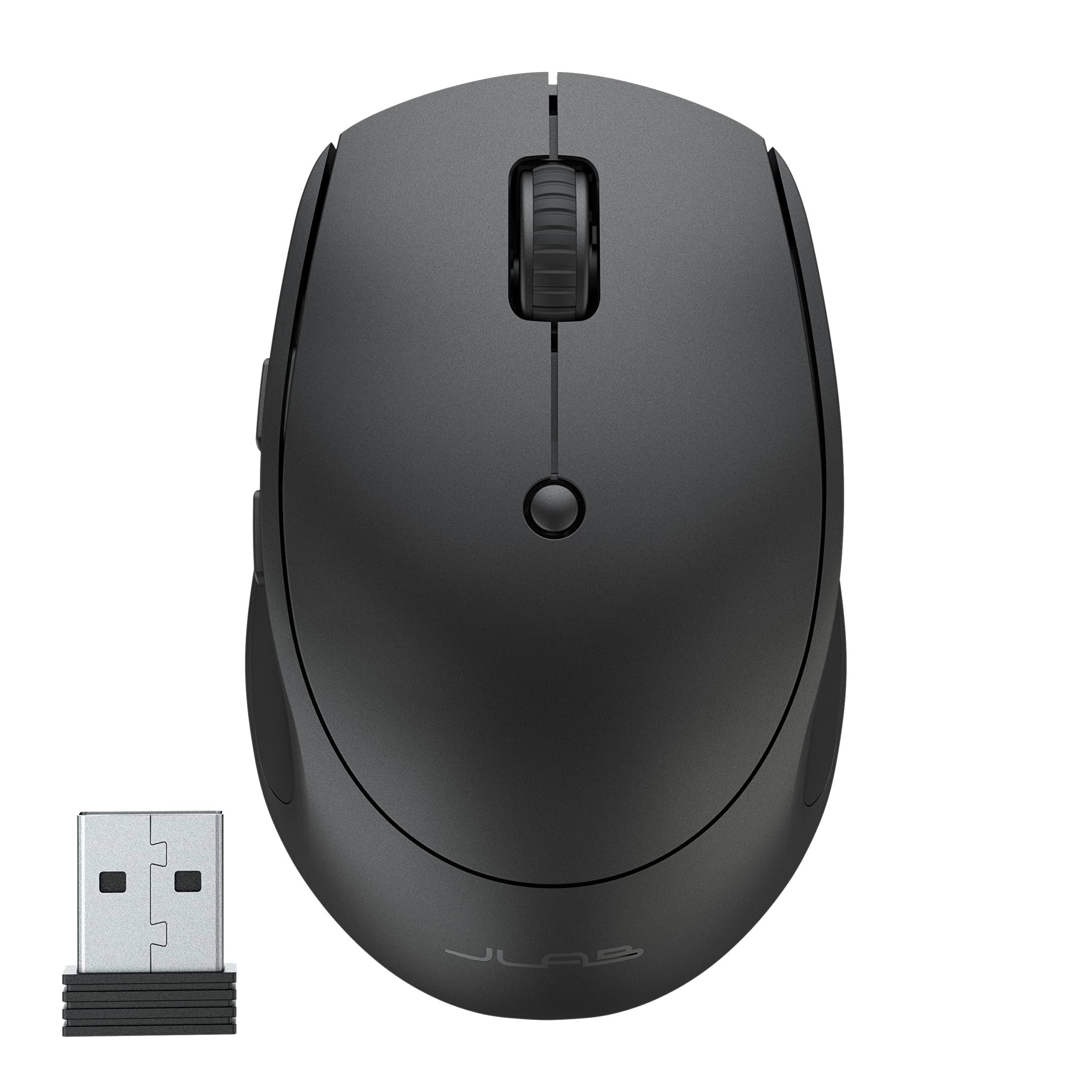
- Connects to as many as three devices through Bluetooth or a USB dongle.
- Compact, lightweight shape is designed for portability.
- Rechargeable battery is rated for 4+ months per charge.
Best For: People who carry a mouse between workspaces and switch among several devices.

Contour Unimouse Wireless
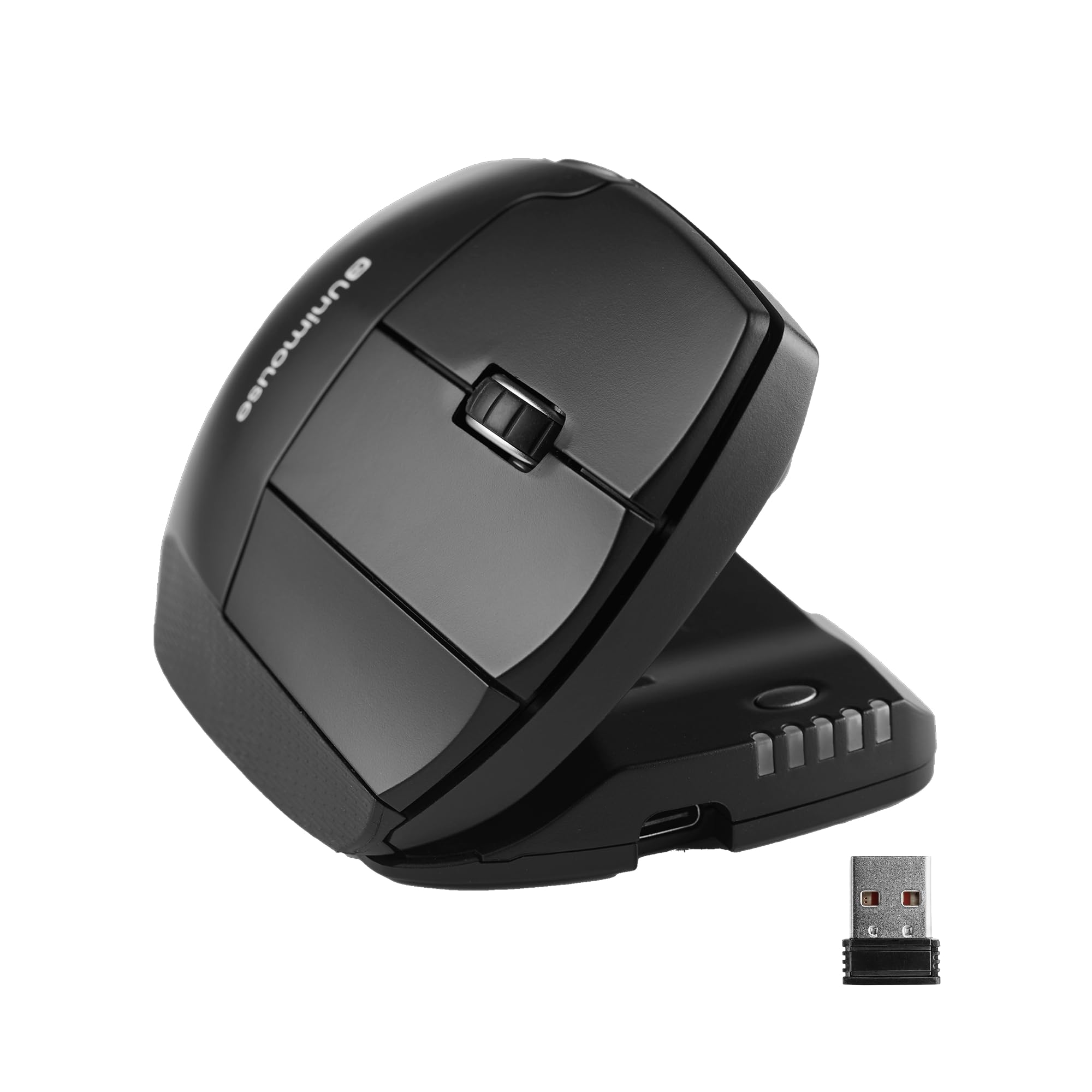
- Tilt adjusts between 35° and 70°.
- Thumb support slides, pivots, and rotates for fit adjustments.
- Six programmable buttons support customized workflows.
Best For: Right-handed users who want to adjust both the mouse angle and thumb support.
ESR MagMouse Snap-to-Carry
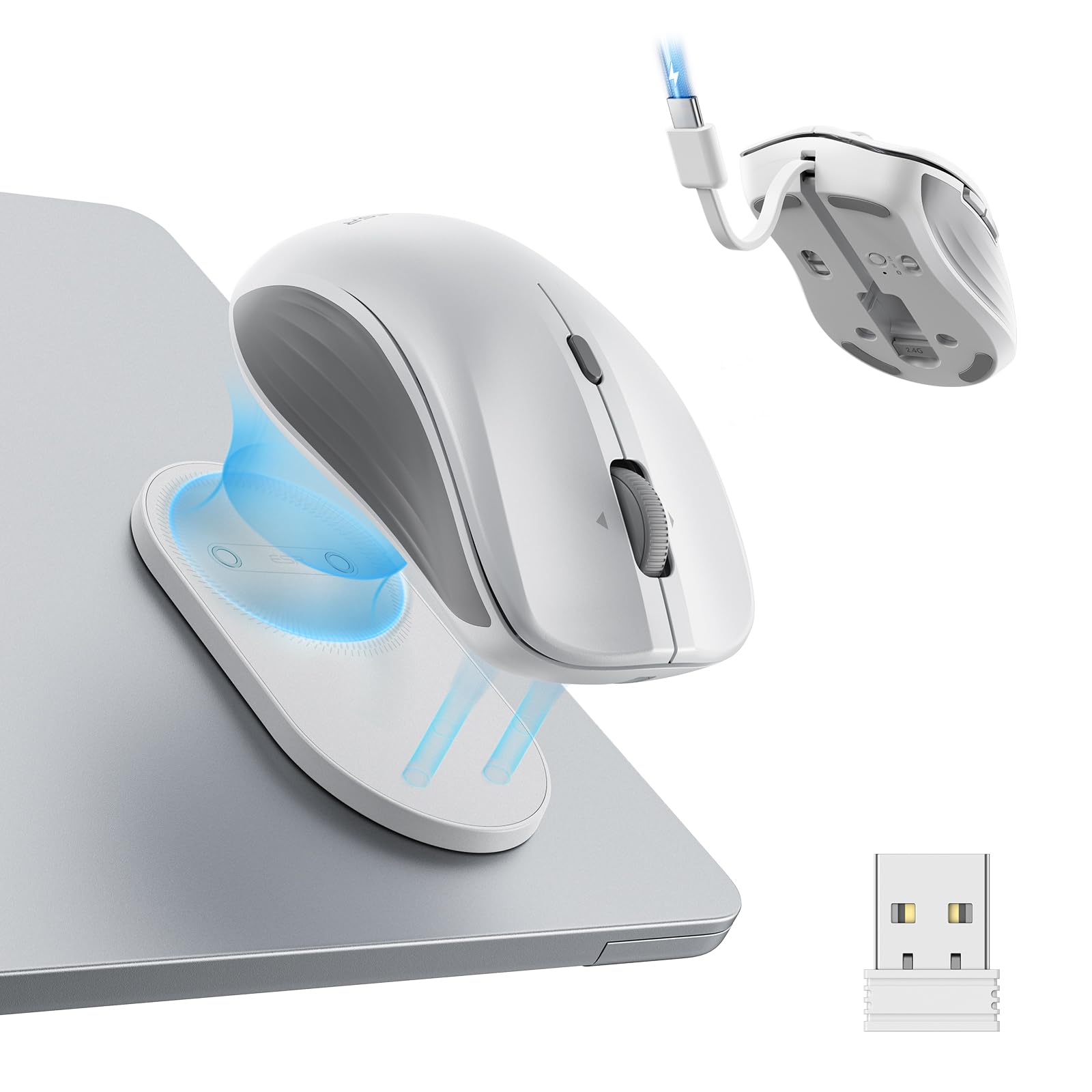
- Magnetic base snaps on and off the included mouse holder.
- Built-in USB-C cable handles charging.
- Offers Bluetooth 5.0 and 2.4 GHz dongle connectivity.
Best For: Laptop users who want a portable mouse with a holder and integrated charging cable.
SABRENT Mini Travel Wireless Mouse
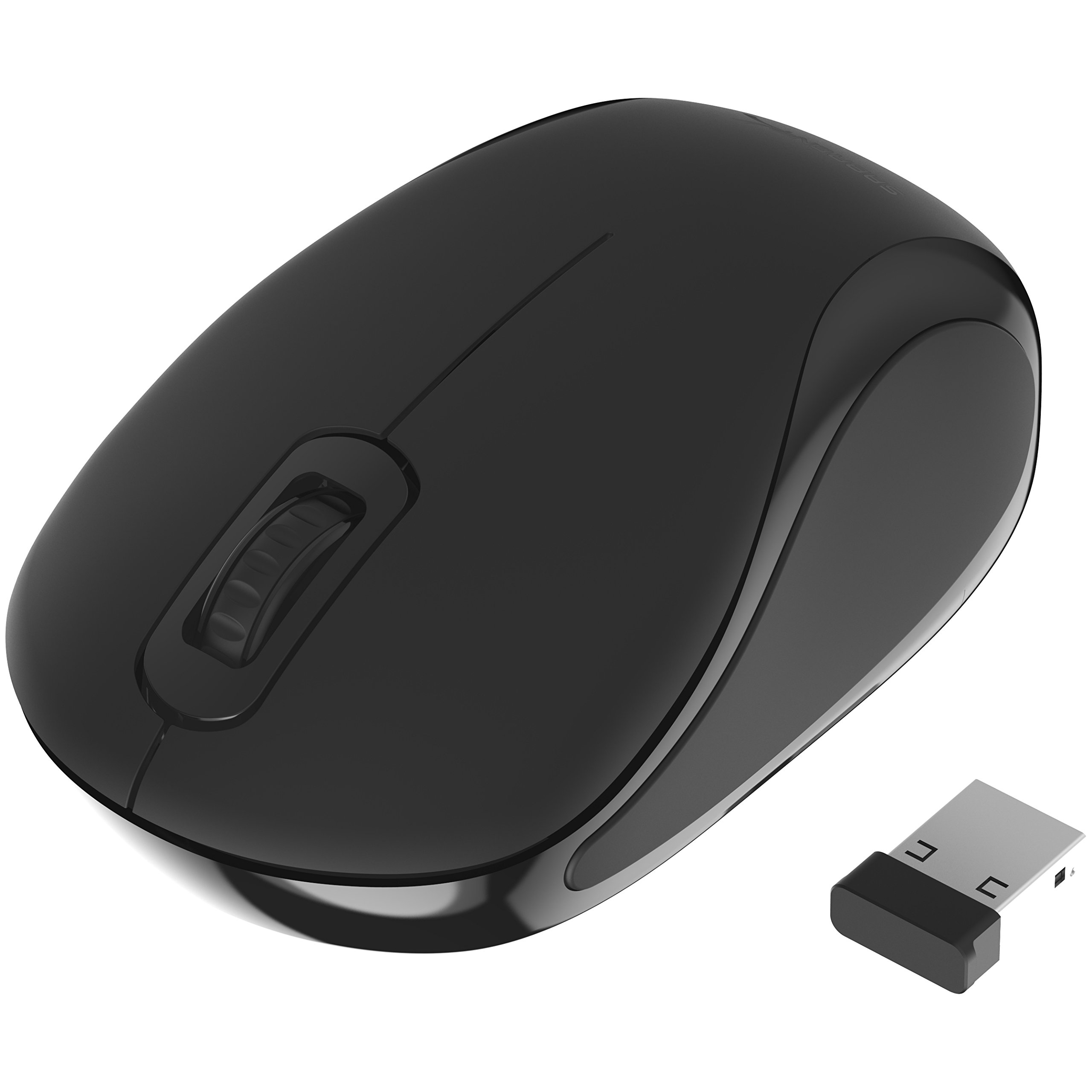
- Uses a 2.4 GHz connection and nano receiver.
- Optical tracking is rated at 1200 dpi.
- Ambidextrous shape has three buttons.
Best For: Travelers seeking a small, straightforward mouse for a USB-equipped computer.
SABRENT Rechargeable Wireless Mouse
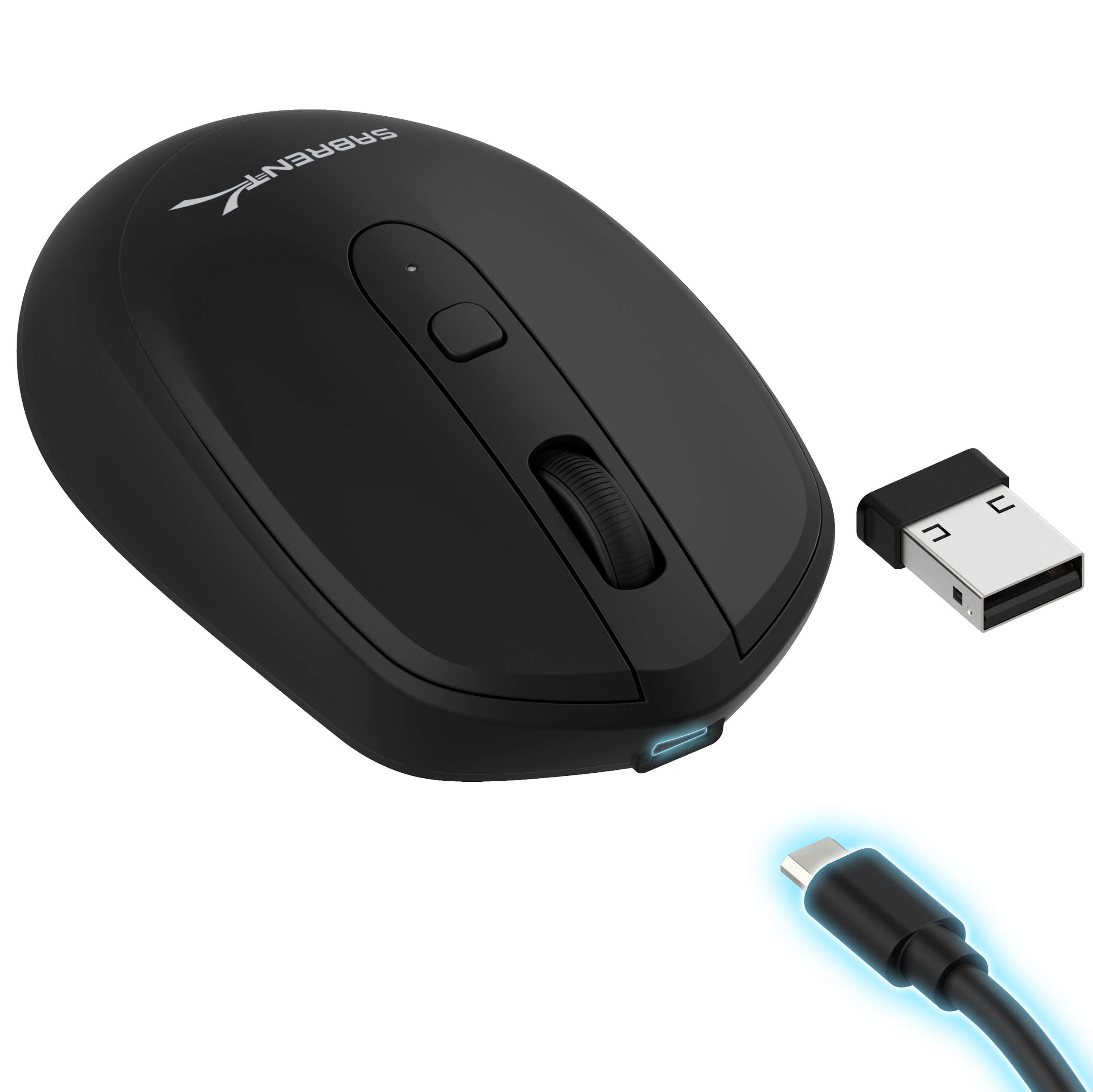
- Rechargeable battery has a 600mAh capacity.
- Choose among three resolution settings.
- A DPI toggle and three buttons keep controls simple.
Best For: Shoppers who want a basic rechargeable mouse with selectable tracking sensitivity.
SteelSeries Rival 650 Wireless
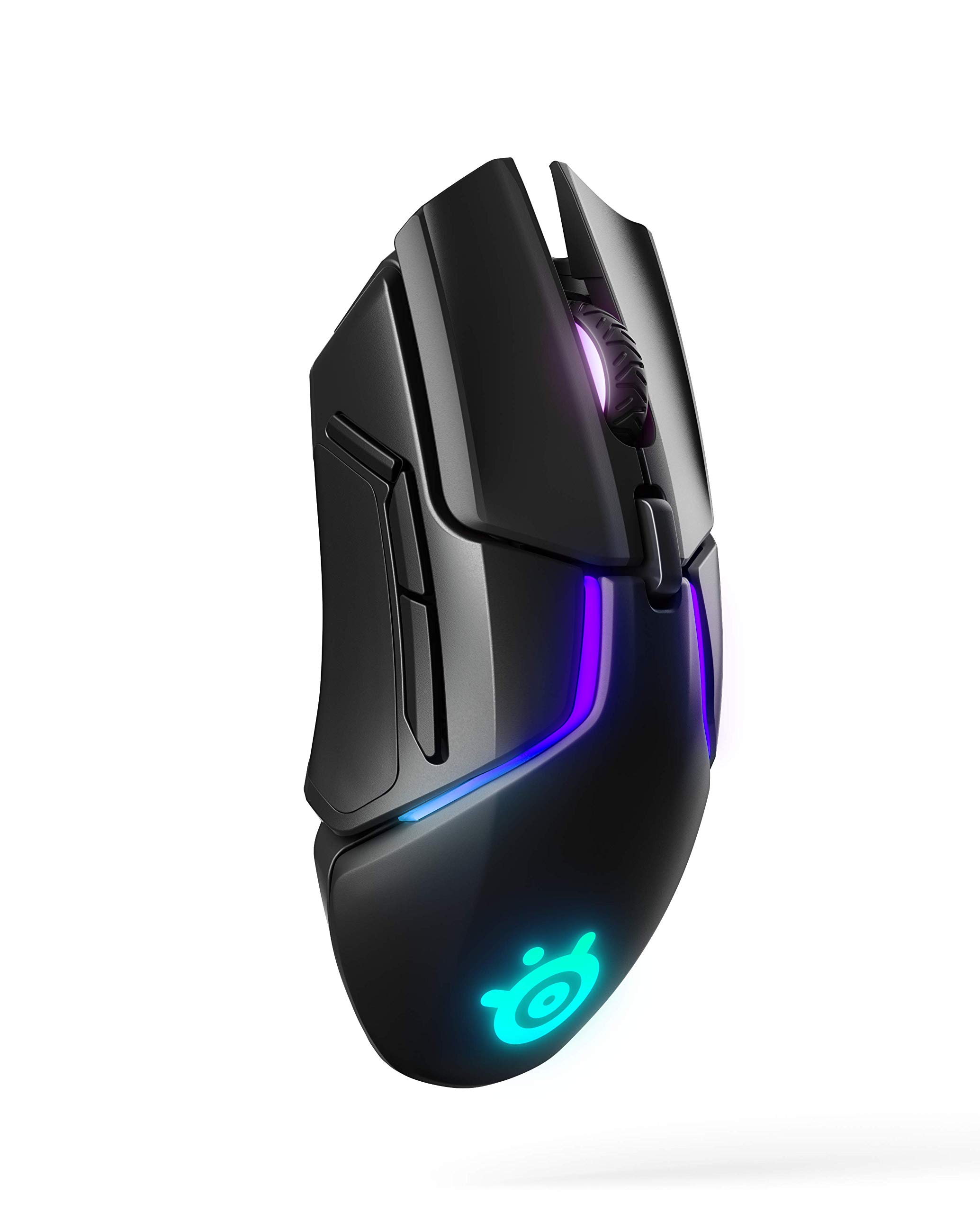
- Offers 256 center-of-gravity weight configurations.
- Dual sensor system includes a secondary depth sensor.
- A 15-minute rapid charge is rated for 10 hours.
Best For: Gamers who want to adjust mouse weight balance and tracking lift-off behavior.
SteelSeries Aerox 9 Wireless
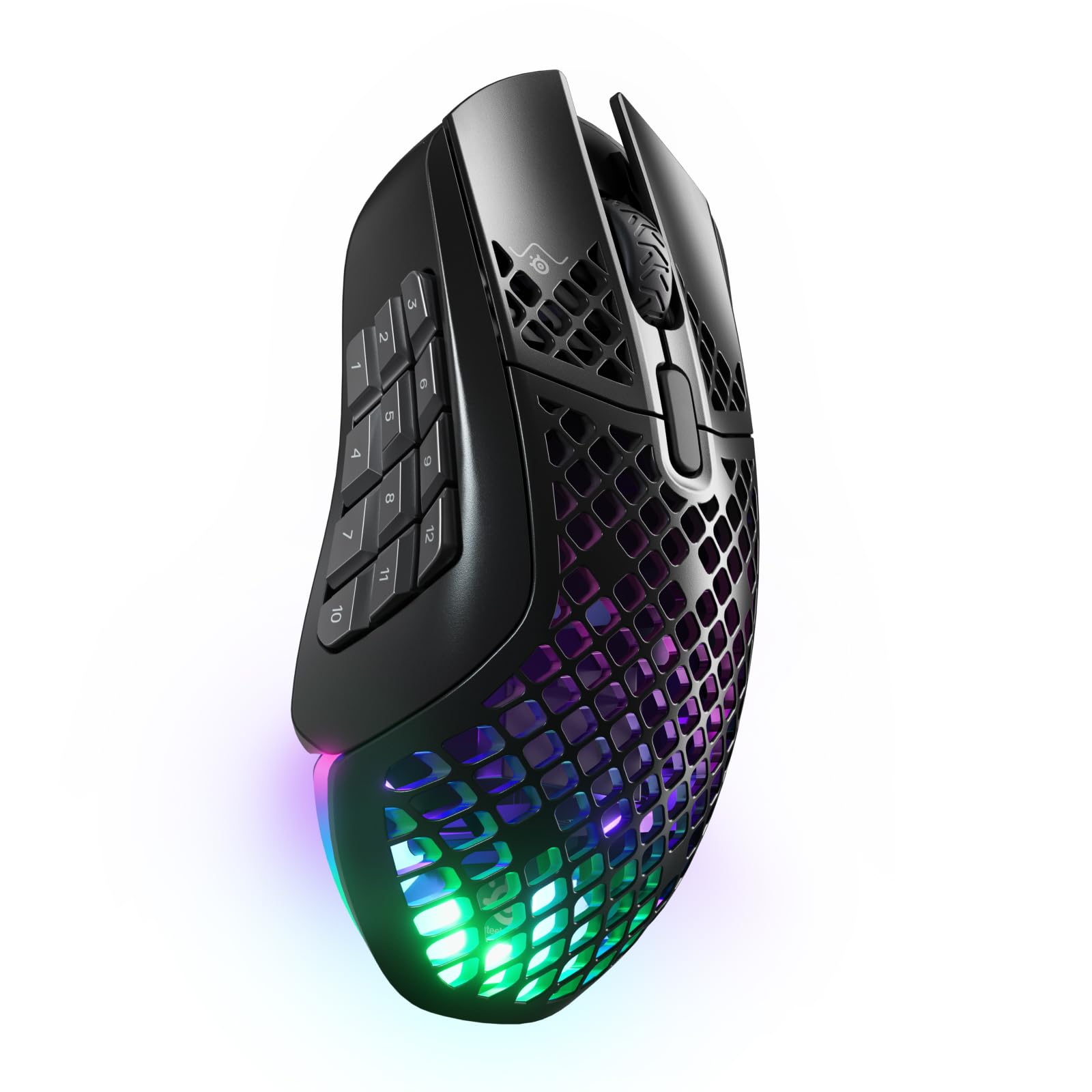
- Includes 18 programmable buttons with a 12-button side panel.
- Connects through 2.4 GHz or Bluetooth 5.0.
- Battery life is stated as 180 hours.
Best For: Players who want a large bank of programmable side buttons for shortcuts and MMO actions.
SteelSeries Aerox 5 Wireless
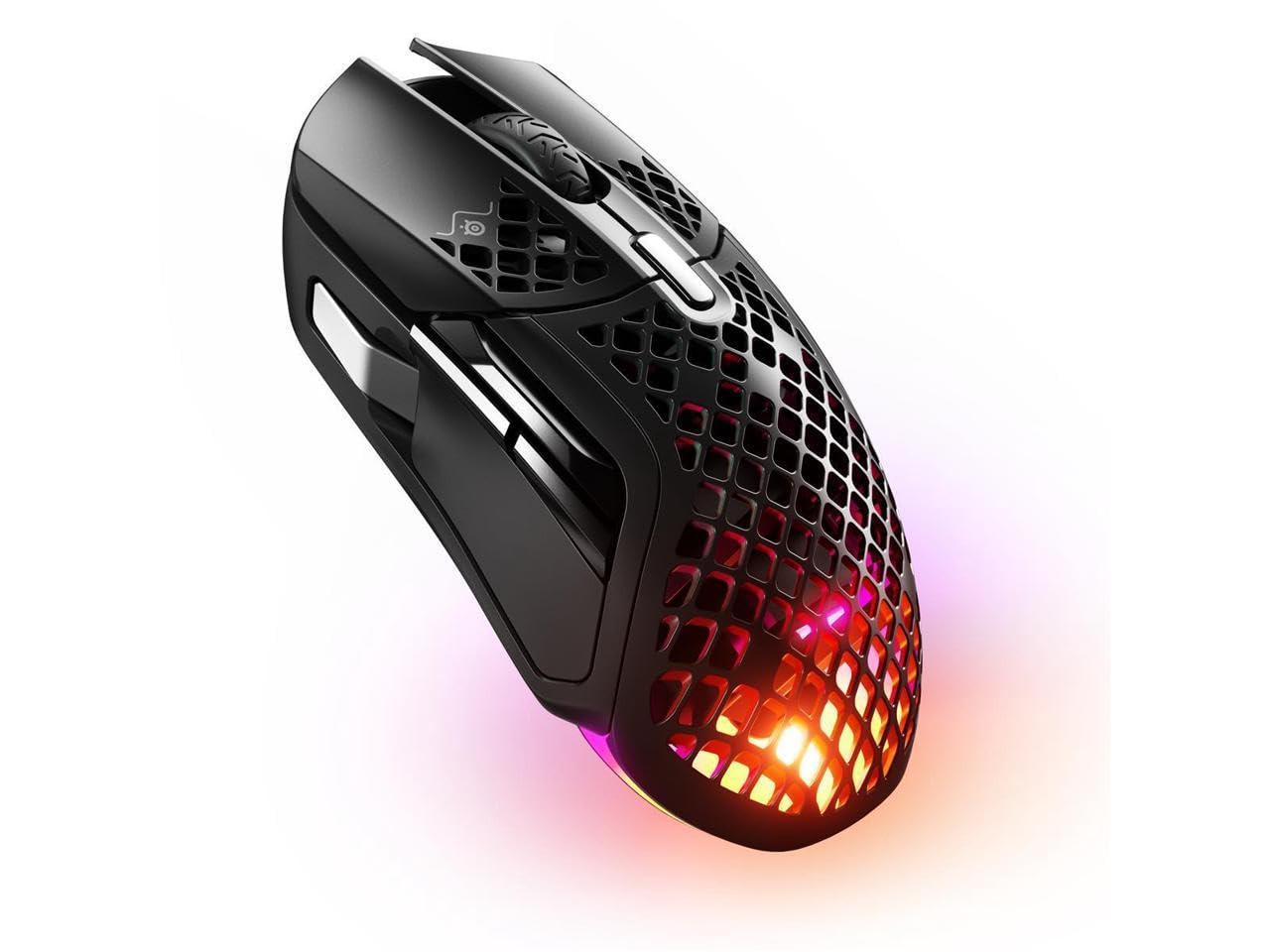
- Has nine programmable buttons, including a side panel and flick switch.
- The lightweight shell is specified at 74g.
- Offers Bluetooth 5.0 and 2.4 GHz wireless.
Best For: Gamers who want a lightweight mouse with more programmable controls than a basic layout.
SteelSeries Prime Wireless
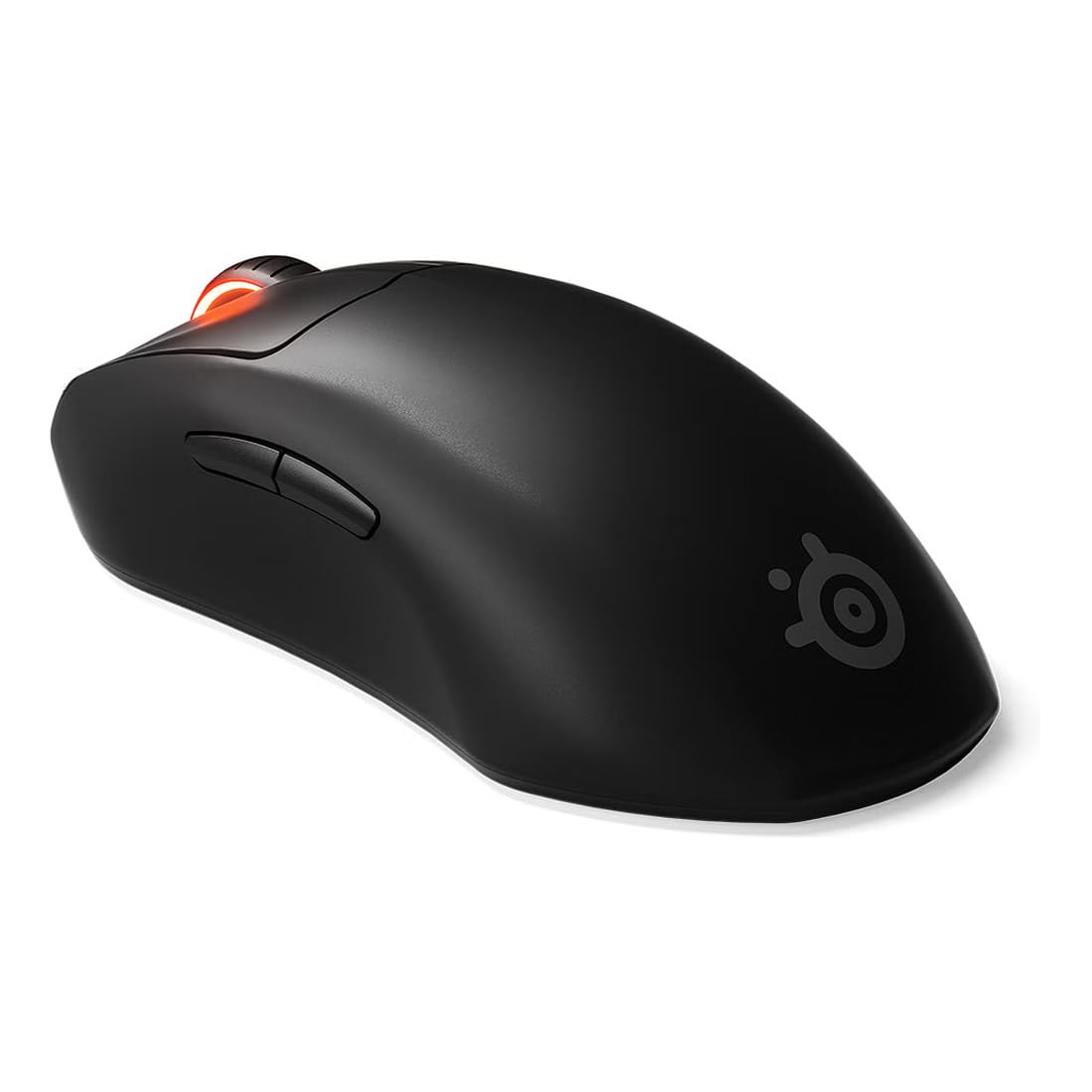
- TrueMove Air sensor is rated at 18K CPI.
- Optical magnetic switches are rated for 100 million clicks.
- Battery life is stated as 100 hours.
Best For: Right-handed FPS players who want a lightweight shape and a focused six-button layout.
SteelSeries Prime Mini Wireless
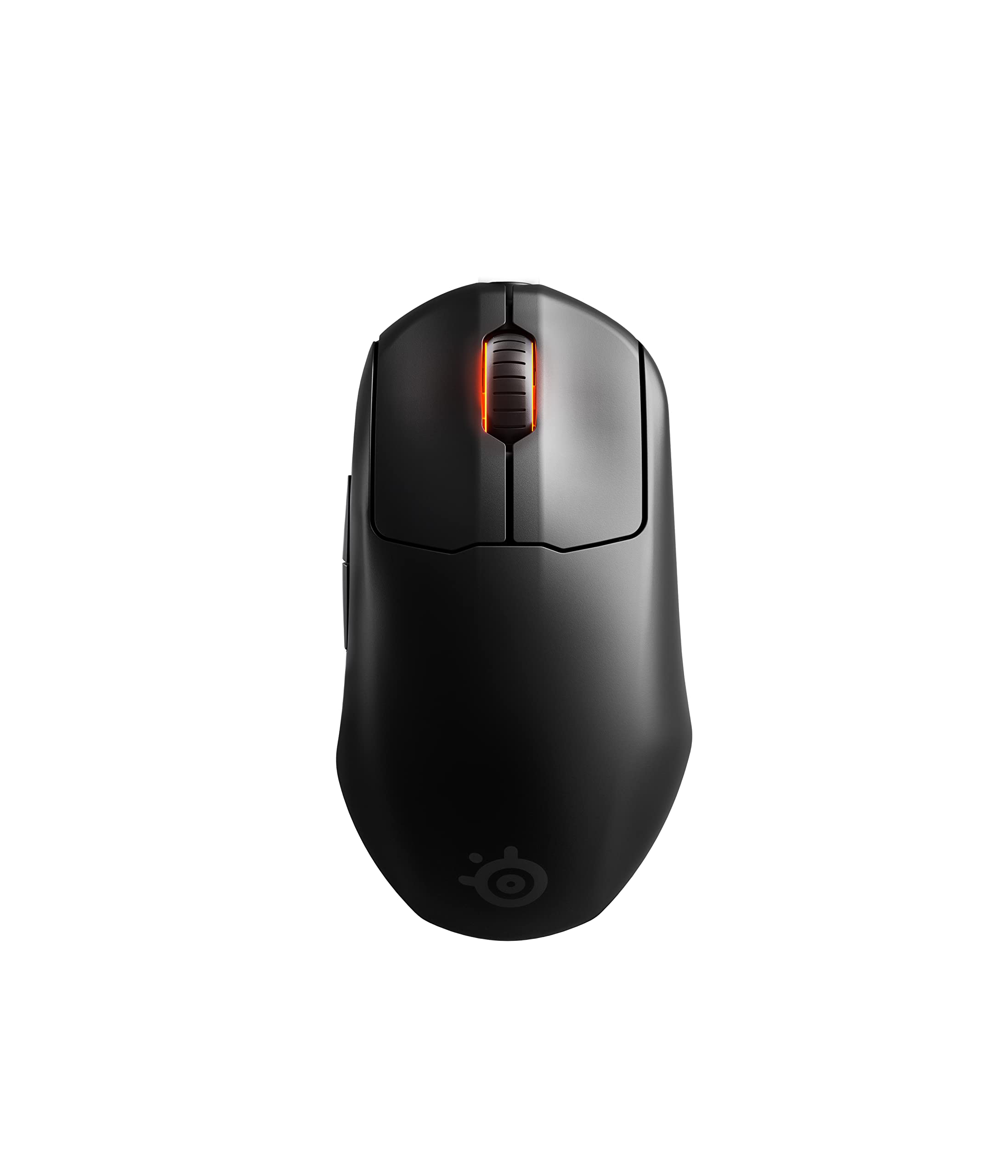
- The mini form factor is specified at 74g.
- Has five programmable buttons.
- Uses 2.4 GHz wireless and has a 100-hour battery rating.
Best For: FPS players who prefer a smaller gaming mouse with wireless controls and a 100-hour battery rating.
Compact Multi-Device Work Mouse
JLab, GO Charge, Wireless Mouse, Bluetooth, USB Dongle, Multi-Device, Compact, Rechargeable, Black
The JLab GO Charge pairs a compact, lightweight shape with connections for up to three devices, making it a practical wireless mouse for a mobile desk. You can connect through Bluetooth 5 or a USB wireless dongle and adjust tracking speed to suit different tasks.
Its silent buttons suit shared offices, calls, or quiet study areas. The rechargeable battery is described as lasting 4+ months per charge, and the product includes a two-year warranty.
Its compact form may suit travel better than a full-size mouse, though shoppers who prefer a larger hand-filling shape may want to consider the JBuds or Epic options.
Best For: People who carry a mouse between workspaces and switch among several devices.
| Pros | Cons |
|---|---|
|
|
Choose the GO Charge if you want a small rechargeable mouse that can move among three paired devices and fits in a bag. Silent clicks and adjustable tracking also suit everyday office work.
Its listed battery life is a useful point of comparison with rechargeable models, but check the compact size against your preferred grip. The connector type for its dongle is not identified, so confirm that it works with your computer before ordering.
Highly Adjustable Right-Hand Ergonomics
Contour Unimouse Ergonomic Vertical Mouse Adjustable 35°-70° Tilt Angle, 6 Programmable Buttons for Productivity, Customizable Thumb Rest for Wrist Pain Relief | Plug & Play Mac/PC - Wireless - Right
The Contour Unimouse gives right-handed users two kinds of fit adjustment: a tilt angle from 35° to 70° and a thumb support that slides, pivots, and rotates. That range lets you change the grip instead of committing to one fixed vertical shape.
Six programmable buttons and a smooth scroll wheel add options for work tasks, while the rechargeable battery is rated for up to 12 weeks on a charge. It connects through a cordless USB receiver and supports Windows and macOS.
This is a specialized, customizable design; shoppers who need a left-handed mouse or Bluetooth pairing should check other options.
Best For: Right-handed users who want to adjust both the mouse angle and thumb support.
| Pros | Cons |
|---|---|
|
|
This is the option to consider when grip adjustment is the priority. The adjustable tilt and movable thumb rest provide more ways to set hand position than a mouse with a fixed vertical shell, and six programmable buttons suit workflows that benefit from shortcuts.
Before buying, confirm the right-handed shape and receiver connection fit your setup. Battery life is rechargeable and specified in weeks, while several other office picks emphasize switching among multiple devices.
Travel Mouse With Built-In Cable
ESR MagMouse Snap-to-Carry Bluetooth Mouse, Wireless Mouse for Laptop | Rechargeable Mouse with Built-in Charging Cable, Reusable Adhesive Holder, BT 5.0 + 2.4 GHz Connectivity, Ergonomic, White
The ESR MagMouse is designed around a carry setup: a magnetic base snaps the mouse to a holder, and a built-in USB-C charging cable travels with it. The base attaches with reusable residue-free adhesive, a detail to consider when choosing where to put the holder.
For everyday use, it offers both a 2.4 GHz dongle and Bluetooth 5.0, six DPI levels from 800 to 4800, and four-way scrolling with side tilt. Silent clicks and an ergonomic shape round out the feature set.
Its mix of travel features and adjustable control makes it useful for laptop work, though the holder attachment method may not suit every surface or preference.
Best For: Laptop users who want a portable mouse with a holder and integrated charging cable.
| Pros | Cons |
|---|---|
|
|
Pick the MagMouse if you value a dedicated carry arrangement and want both Bluetooth and dongle connections. The built-in cable, magnetic holder, and side-tilt wheel make it more travel-oriented than conventional compact mice.
Check whether the reusable adhesive attachment suits your laptop bag or workspace, and consider how you will carry the dongle since storage is not specified. Its six DPI options also give it a wider stated range than the simpler travel models.
Simple Budget Travel Mouse
SABRENT Mini Travel 2.4GHz Wireless Mouse with Nano Receiver (MS-WSML)
The SABRENT Mini Travel Mouse keeps its feature set simple: it uses a 2.4 GHz wireless connection with a nano receiver and optical tracking rated at 1200 dpi. Its ambidextrous design and three buttons make it a straightforward fit for basic navigation, text selection, and everyday laptop use.
At 2 ounces, it is a compact travel candidate, and it runs on one AAA battery. The record names compatibility with several older Windows versions and Mac OS X, so check the exact operating-system support for your computer before buying.
It does not offer the multi-device switching or rechargeable charging approach found in some other picks.
Best For: Travelers seeking a small, straightforward mouse for a USB-equipped computer.
| Pros | Cons |
|---|---|
|
|
Choose this SABRENT if your priority is an inexpensive, uncomplicated wireless mouse for travel and your computer can use its nano receiver. Its modest 1200 dpi tracking and three-button layout suit basic pointing tasks, while the ambidextrous shape avoids a hand-specific design.
It uses a replaceable AAA battery rather than recharging, so plan for that. Confirm operating-system compatibility because the named Windows versions do not cover every current setup.
Rechargeable 2.4 GHz Basic Mouse
SABRENT 2.4GHz Rechargeable Wireless Mouse with Adjustable Resolution (MS-RCWM)
The SABRENT MS-RCWM is a basic wireless mouse with a rechargeable 600mAh lithium battery and a 2.4 GHz connection. Its adjustable resolution settings are 800, 1200, and 1600, selected with a DPI toggle.
The three-button layout keeps operation simple, making it a reasonable desk or laptop choice for everyday pointing without extra programmable controls. Fast charging is included among its features, but the charging connector and battery runtime are not identified.
If you need Bluetooth pairing, quiet clicks, or switching among several devices, the supplied details do not establish those functions; compare those requirements with the multi-device options in this roundup.
Best For: Shoppers who want a basic rechargeable mouse with selectable tracking sensitivity.
| Pros | Cons |
|---|---|
|
|
The MS-RCWM suits a buyer who wants rechargeable power, a simple three-button arrangement, and a few tracking settings. Its 2.4 GHz connection is a conventional choice for a single computer, but device switching and Bluetooth are not specified.
Compare it with the SABRENT Mini if you prefer a replaceable AAA battery, or with the JLab models if multi-device connections matter. Check charging details and expected runtime before choosing it for frequent travel.
Gaming Mouse With Tunable Weight
SteelSeries Rival 650 Quantum Wireless Gaming Mouse - Rapid Charging, 12,000 Cpi Dual Sensor, 256 Weight Configs, 8 Zone RGB Lighting
The SteelSeries Rival 650 is a gaming-focused wireless mouse built around tuning options. Its 256 weight configurations let you personalize the center of gravity, while the TrueMove3+ dual sensor includes a secondary depth sensor to adjust lift-off distance.
The product notes specify a range of 0.5–2 millimeter, and the primary sensor is described as true 1-to-1 tracking. Battery life is over 24 hours on a full charge, with 10 hours available from a 15-minute rapid charge.
The feature set is aimed at players who want to tune feel and lift-off behavior; shoppers seeking a light mouse or office-focused multi-device support should compare other options.
Best For: Gamers who want to adjust mouse weight balance and tracking lift-off behavior.
| Pros | Cons |
|---|---|
|
|
Consider the Rival 650 if you want a gaming mouse whose balance and lift-off behavior can be adjusted. The 256 weight configurations and dual-sensor arrangement give it a different focus from lightweight Aerox models.
Its rapid charge detail is useful if you can top up between sessions, but total battery life is expressed only as 24-plus hours. Check the connection method and overall weight against your setup; Bluetooth and complete weight details are not specified.
MMO Mouse With 18 Buttons
SteelSeries Aerox 9 Wireless - Holey RGB Gaming Mouse - Ultra-lightweight Water Resistant Design - 18 Buttons – Bluetooth/2.4 GHz - 18K DPI TrueMove Air Optical Sensor
The Aerox 9 Wireless combines a holey shell with an 18-button layout, including a 12-button side panel. Its weight is given as 89g, and the wireless options include both 2.4 GHz and Bluetooth 5.0.
The TrueMove Air optical sensor and IP54-rated Aquabarrier protection are additional gaming-oriented features. Battery life is described as 180 hours, giving it a substantial stated runtime among the gaming picks.
The expanded side controls suit games or workflows that rely on many shortcuts, but users who prefer a simpler layout or a lighter mouse may find the Aerox 5 or Aerox 3 more appropriate.
Best For: Players who want a large bank of programmable side buttons for shortcuts and MMO actions.
| Pros | Cons |
|---|---|
|
|
Choose the Aerox 9 when a large set of side controls is central to how you play or work. The 12-button panel and 18-button total distinguish it from the Aerox 5's smaller button count, while dual wireless modes provide flexibility.
Its 89g design is not the lightest option here, so prioritize the controls over minimum weight. Check how you plan to map the buttons and whether the side panel suits your hand and game.
Lightweight Gaming With Extra Controls
SteelSeries Aerox 5 Wireless - Holey RGB Gaming Mouse - Ultra-lightweight Water Resistant Design - 9 Buttons – Bluetooth/2.4 GHz - 18K DPI TrueMove Air Optical Sensor
The Aerox 5 Wireless is a gaming mouse with a 74g holey shell, nine programmable buttons, and both 2.4 GHz and Bluetooth 5.0 connections. Its controls include a side panel and an up/down flick switch, giving it more input options than a basic gaming mouse without the Aerox 9's 18-button bank.
The TrueMove Air optical sensor supports the gaming focus, while the IP54-rated Aquabarrier is designed to shield the interior from splashes, dust, and dirt. Battery life is stated at 180 hours.
Consider this model if extra controls matter but a very large side grid would be excessive.
Best For: Gamers who want a lightweight mouse with more programmable controls than a basic layout.
| Pros | Cons |
|---|---|
|
|
The Aerox 5 fits players who want side controls and a flick switch in a lightweight gaming design, without moving to the Aerox 9's much larger button bank. Its Bluetooth and 2.4 GHz modes also make it more flexible than a single-connection gaming mouse.
Compare the button layout with the games you play, since the number alone does not establish which controls feel useful. Battery runtime is stated, but its mode-specific behavior is not.
FPS Shape With Magnetic Switches
SteelSeries Esports Wireless FPS Gaming Mouse - Ultra Lightweight, Prime Programmable, 18K CPI Sensor, Magnetic Optical Switches, PC/Mac, Black
The SteelSeries Prime Wireless is a right-handed FPS mouse with six buttons, a stated weight of 2.72 ounces, and a TrueMove Air sensor rated at 18K CPI. Its optical magnetic switches are described as lasting for 100 million clicks, and Quantum 2.0 wireless is paired with a stated 100-hour battery life and fast charging.
The shape is designed for right-handed players and supports finger, palm, and claw grip styles. This is a focused gaming option rather than a multi-device productivity mouse; check the right-handed fit and USB wireless connection against your preferences before buying.
Best For: Right-handed FPS players who want a lightweight shape and a focused six-button layout.
| Pros | Cons |
|---|---|
|
|
Choose the Prime Wireless for its right-handed FPS shape, six-button layout, and magnetic switch design. The stated 18K CPI sensor and 100-hour battery life make the specs easy to compare with other gaming options, while its grip support is specific to three common styles.
It does not provide the multi-device office features found on JLab's mice. Confirm the receiver setup and whether the right-handed shape suits your grip before purchasing.
Compact FPS Gaming Shape
SteelSeries Esports Mini Wireless FPS Gaming Mouse – Ultra Light – Prime Mini Edition – 5 Programmable Buttons – Lag-free 2.4GHz – 100H Battery – 18K CPI Sensor – Magnetic Optical Switches – PC/Mac
The Prime Mini Wireless condenses the Prime gaming approach into a 74g form factor. It has five programmable buttons, a TrueMove Air sensor rated at 18K CPI, and magnetic optical switches described as lasting for 100 million clicks.
Its wireless connection is 2.4 GHz, and battery life is stated at 100 hours with fast charging. The compact shape may suit users who want a smaller mouse for FPS play, while the full-size Prime has six buttons and notes multiple grip styles.
The supplied details do not give dimensions, so compare the shape visually and check fit if you have a specific hand-size preference.
Best For: FPS players who prefer a smaller gaming mouse with wireless controls and a 100-hour battery rating.
| Pros | Cons |
|---|---|
|
|
The Prime Mini is a practical candidate for players who want a smaller FPS mouse with a focused five-button arrangement. Its 74g weight, 18K CPI sensor, and 2.4 GHz connection define the gaming profile, while the 100-hour battery rating and fast charging address wireless use.
The full-size Prime lists six buttons and several grip styles, so compare those details if you are deciding between them. Since dimensions and Bluetooth support are not specified, verify fit and connection needs.
How to Choose Wireless Mice
How We Picked Best Wireless Mice
This selection covers wireless mice that serve distinct needs: portable laptop use, multi-device office work, adjustable ergonomic grips, and gaming controls. We favored candidates with a clear fit in one of those roles and useful details on connectivity, controls, tracking, charging, or shape.
Standalone mice made more sense for this broad category than a four-pack or a keyboard bundle. Similar offers for the same JLab model were represented once.
Wireless can mean Bluetooth, a USB receiver, or both. A mouse that pairs through Bluetooth may suit a laptop with limited ports, while a 2.4 GHz receiver can be a straightforward route for a dedicated computer.
Check the connection types and receiver format for your device before choosing.
Comparing Best Wireless Mice
The main differences are shape, device switching, and control layout. JLab's GO Charge connects to three devices and has a compact silent-click design; the ESR MagMouse adds a carry holder and built-in USB-C cable.
The Contour Unimouse instead prioritizes adjustable tilt and a movable thumb rest. SABRENT's small travel model keeps things simple with a nano receiver, while its rechargeable option uses a three-button layout and selectable DPI.
Gaming choices split by controls and tuning. The SteelSeries Aerox 9 gives users an 18-button layout with a 12-button side panel.
The Aerox 5 offers nine buttons in a 74g design, while the Rival 650 emphasizes adjustable weight and lift-off behavior. Prime Wireless and Prime Mini are more focused FPS shapes, with the Mini specified at 74g and the standard Prime listing six buttons.
| Product | Standout features | Best for |
|---|---|---|
| JLab GO Charge Wireless MouseCheck Price |
| People who carry a mouse between workspaces and switch among several devices. |
| Contour Unimouse WirelessCheck Price |
| Right-handed users who want to adjust both the mouse angle and thumb support. |
| ESR MagMouse Snap-to-CarryCheck Price |
| Laptop users who want a portable mouse with a holder and integrated charging cable. |
| SABRENT Mini Travel Wireless MouseCheck Price |
| Travelers seeking a small, straightforward mouse for a USB-equipped computer. |
| SABRENT Rechargeable Wireless MouseCheck Price |
| Shoppers who want a basic rechargeable mouse with selectable tracking sensitivity. |
| SteelSeries Rival 650 WirelessCheck Price |
| Gamers who want to adjust mouse weight balance and tracking lift-off behavior. |
| SteelSeries Aerox 9 WirelessCheck Price |
| Players who want a large bank of programmable side buttons for shortcuts and MMO actions. |
| SteelSeries Aerox 5 WirelessCheck Price |
| Gamers who want a lightweight mouse with more programmable controls than a basic layout. |
| SteelSeries Prime WirelessCheck Price |
| Right-handed FPS players who want a lightweight shape and a focused six-button layout. |
| SteelSeries Prime Mini WirelessCheck Price |
| FPS players who prefer a smaller gaming mouse with wireless controls and a 100-hour battery rating. |
Choosing a Wireless Mouse for Work or Travel
For commuting or laptop work, consider overall size, charging, and how the receiver travels with the mouse. The JLab GO Charge is compact and rechargeable; ESR's magnetic holder and built-in cable make its carry system more distinctive.
The SABRENT Mini weighs 2 ounces and uses one AAA battery, while its nano receiver suits a computer with a compatible port. The SABRENT rechargeable model offers three tracking settings, but its runtime and charging connector are not specified.
A full-size design may feel more familiar on a stationary desk. The JLab JBuds and Epic models pair full-size shapes with multi-device switching, while the Epic adds an OLED display for DPI and battery information.
If quiet operation matters in calls or shared rooms, the JLab options specify silent clicks. For a simple one-computer setup, extra pairing features may matter less than grip and comfortable reach.
Ergonomic and Gaming Mouse Features to Compare
Ergonomic mice differ in how much they let you adapt the grip. The Unimouse has a tilt range from 35° to 70° and a thumb support that moves in several directions.
That flexibility is specific to right-handed use; shoppers who need a symmetrical or left-handed shape should check the mouse orientation carefully. The JLab vertical option is excluded because its product details identify a keyboard bundle rather than a standalone vertical mouse.
For gaming, match button placement to the games and shortcuts you use. A large side panel can help when many commands need dedicated inputs, while fewer buttons may suit a cleaner FPS layout.
Weight tuning, as on the Rival 650, offers a different kind of customization from the light-shell Aerox and Prime models. Sensor sensitivity figures alone do not describe the full feel, so compare the shape, button count, and connection mode as a set.
Who Should Buy Which Wireless Mouse
For a compact office mouse that can toggle among devices, consider the JLab GO Charge. For a travel setup with an attached holder and integrated charging cable, compare the ESR MagMouse.
The Contour Unimouse is the clearest match for a right-handed buyer seeking adjustable grip geometry, while the SABRENT Mini suits basic travel use where a nano receiver and AAA battery are acceptable.
For gaming, choose by control needs: Aerox 9 for its 12-button side panel, Aerox 5 for a lighter shell with extra controls, Rival 650 for weight and lift-off tuning, and Prime Mini for a compact FPS form. Prime Wireless offers the standard Prime shape with six buttons and multiple stated grip styles.
Check device compatibility, hand orientation, preferred size, and charging method before settling on a model.