The best USB microphones range from simple desktop condensers to dynamic models that can also connect by XLR, so the right fit depends on your room, recording style, and setup. Compare pickup patterns, monitoring controls, stands, and connection options to choose a mic that fits your work without buying accessories you do not need.
Quick Top Products
Samson Q9U
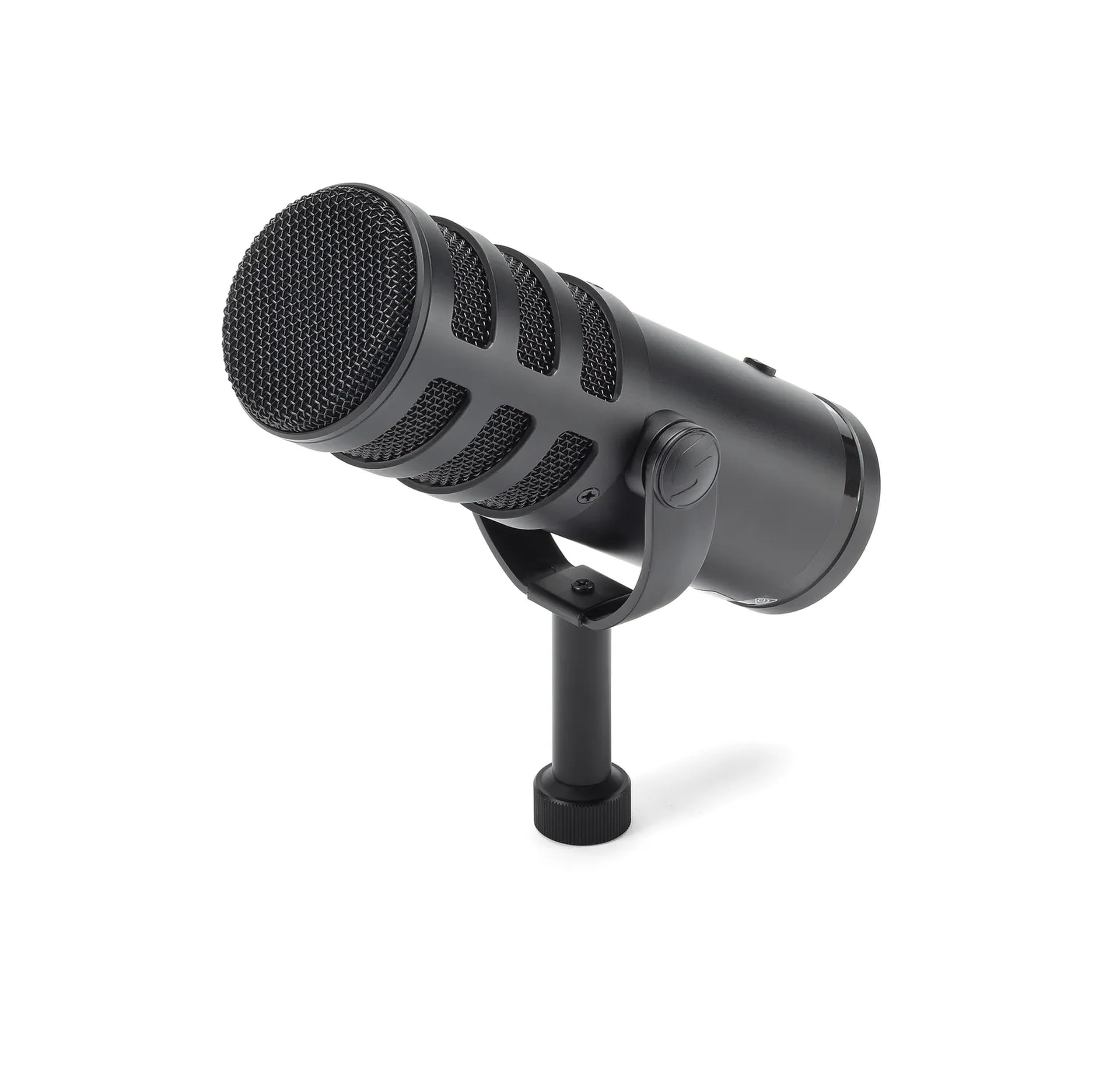
- USB-C and XLR outputs support both computer and mixer setups.
- It records digitally at 24-bit/96kHz over USB.
- Zero-latency headphone monitoring and an onboard mute switch are built in.
Best For: Podcasters who want USB recording now and an XLR path to a mixer or interface.

MAONO PD400X
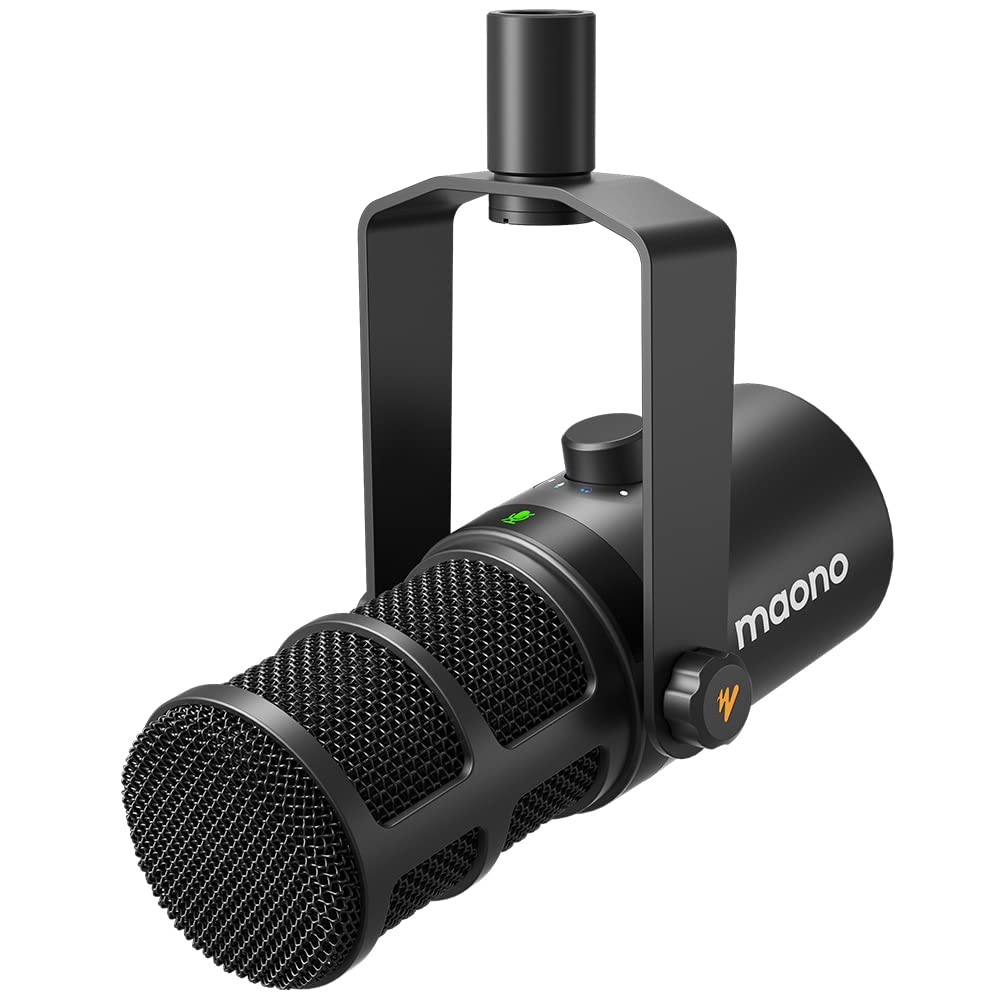
- It has USB and XLR outputs.
- The app offers EQ, limiter, and compressor controls in advanced mode.
- A digital knob controls mic gain, headphone volume, and monitor mix.
Best For: Podcasters who want a dynamic USB/XLR mic with software EQ and monitoring controls.
FIFINE AmpliGame AM8T
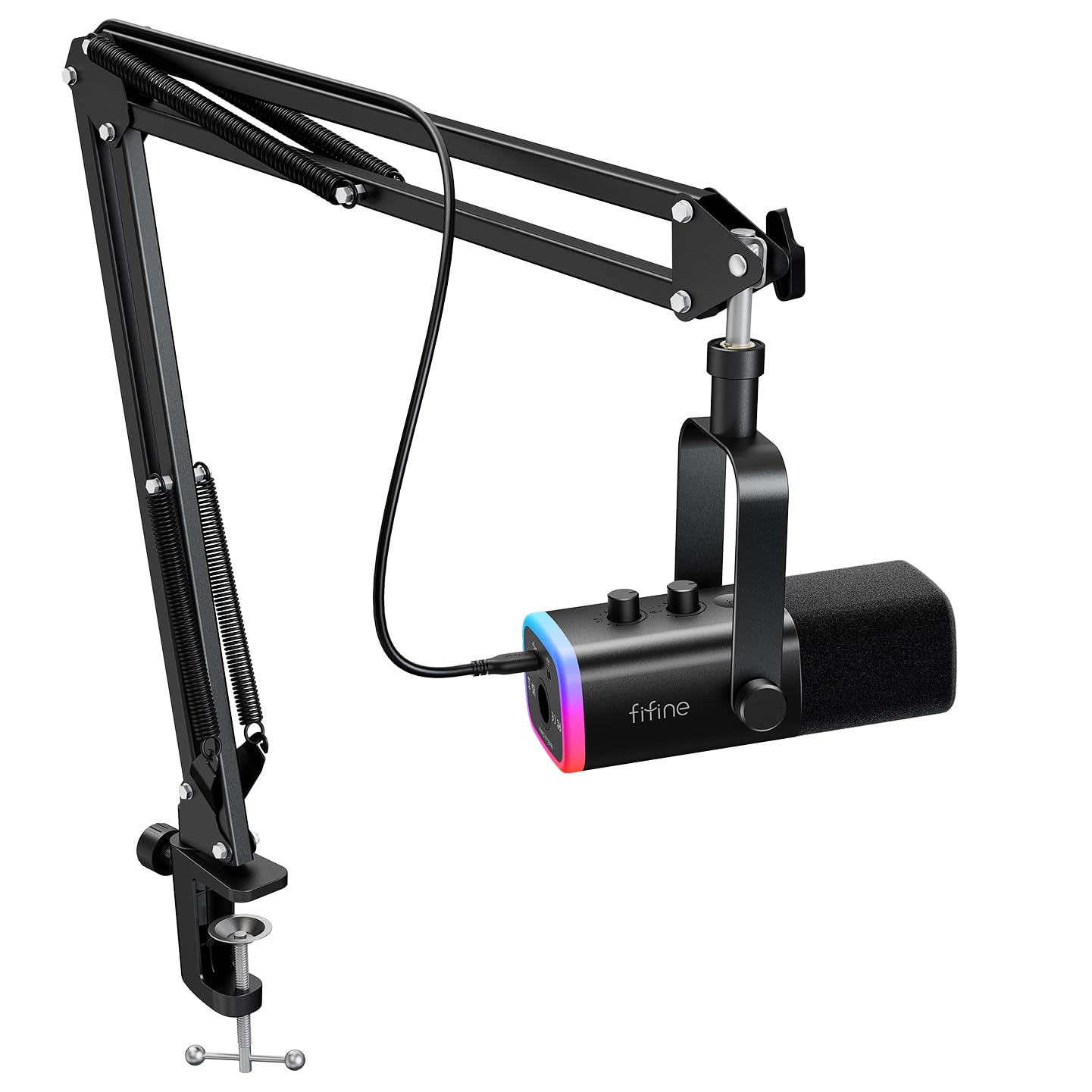
- USB supports plug-and-play PC use, while XLR connects to a mixer or sound card.
- It includes a boom arm and desk clamp.
- The microphone kit includes an RGB button for controlling the lighting mode or color, or turning the lighting off.
Best For: Streamers who want a dynamic mic, boom arm, and USB-to-XLR flexibility in one kit.
Samson Q2U

- The handheld dynamic mic has USB-C and XLR connections.
- It plugs directly into a computer with a USB-C interface.
- The package includes a desktop tripod, windscreen, and both cables.
Best For: Beginners seeking a dynamic handheld mic with basic desktop accessories and two connection types.
FIFINE K669B

- It connects directly to a USB-A port for plug-and-play use.
- A metal body and tripod stand are included.
- A volume knob and cardioid pickup pattern are included.
Best For: First-time buyers who want a basic USB condenser mic for calls, streams, or voice recording.
FIFINE K683A

- It works with USB-A or USB-C ports and needs no extra driver.
- Gain, instant mute, and headphone monitoring controls are built in.
- It includes a detachable pop filter and foldable tripod.
Best For: Home users who want a USB condenser mic with accessible gain, mute, and headphone monitoring.
MAONO GamerWave DGM20
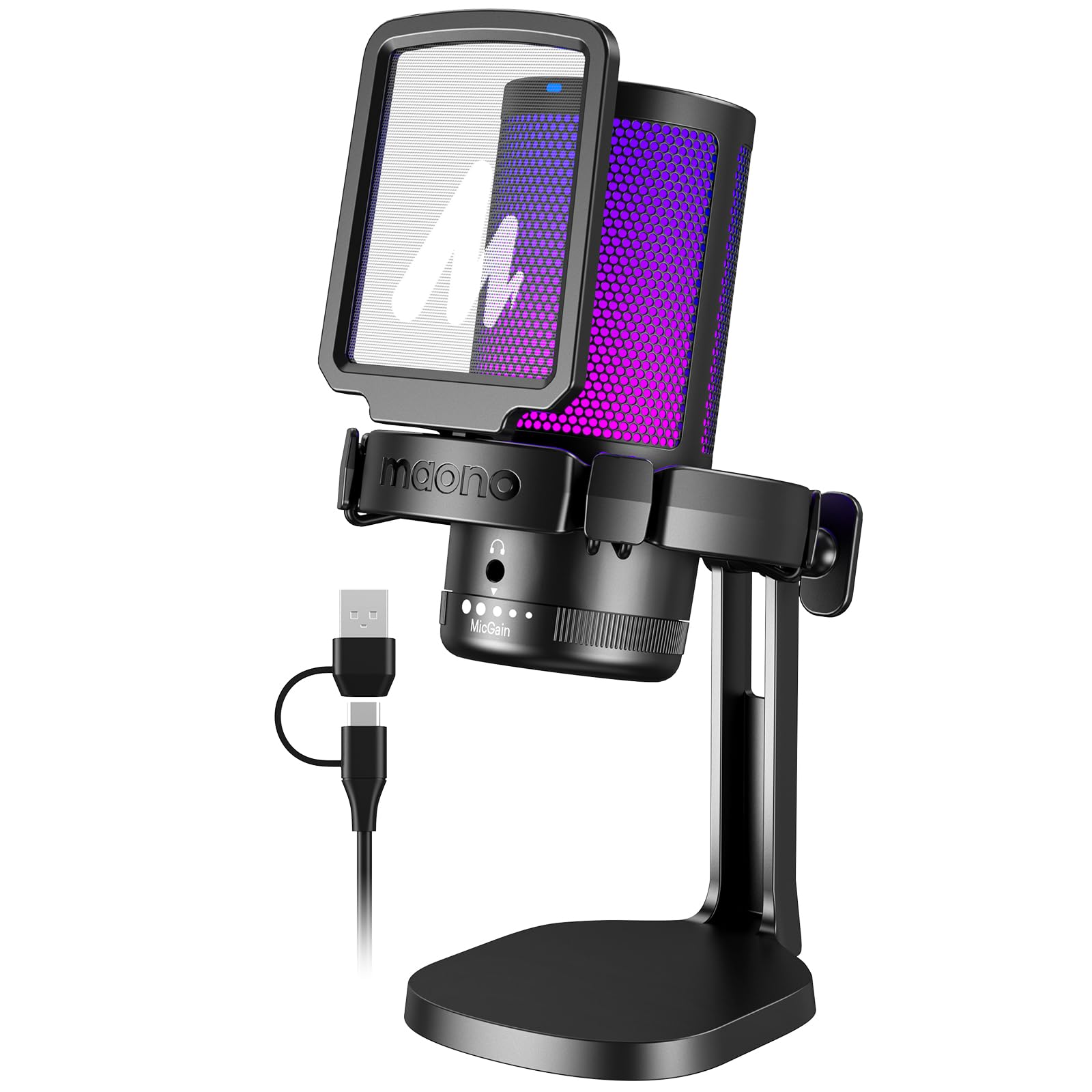
- It has one-key noise cancellation and Windows software noise adjustment.
- The mic includes RGB modes, one-click mute, and a gain knob.
- A headphone monitoring jack and USB/USB-C cable are included.
Best For: Gamers who want USB connectivity, adjustable noise cancellation, and RGB on a desktop mic.
For USB and XLR Recording
SAMSON Q9U XLR/USB Dynamic Broadcast Microphone
The Samson Q9U is a dynamic broadcast microphone with both USB-C and XLR outputs, so it can connect directly to a computer or join a more traditional recording setup. Its 24-bit/96kHz digital resolution, zero-latency headphone monitoring, and onboard mute switch cover useful recording controls.
A cardioid pattern focuses on sound in front and limits ambient pickup, while an internal pneumatic shock mount and dual-layer windscreen address mechanical noise and plosives. It suits voice-focused work and flexible setups, though a stand is not identified among the included features here, so check what support your desk needs.
Best For: Podcasters who want USB recording now and an XLR path to a mixer or interface.
| Pros | Cons |
|---|---|
|
|
Choose the Q9U if you want one dynamic mic to move between direct USB recording and an XLR mixer or interface. It has the relevant monitoring and mute controls onboard, plus a windscreen and internal shock isolation.
The record does not identify a stand in the included accessories, so confirm your mounting plan before buying. Its appeal is connection flexibility and broadcast-oriented voice features, rather than a bundled arm or a choice of pickup patterns.
For App-Based Voice Shaping
MAONO Dynamic Microphone, USB/XLR Podcast PC Microphone with Software, EQ,Tap-to-Mute, Headphone Jack, Gain Knob & Volume Control, Studio Mic for Broadcast, Recording, Streaming & Gaming (PD400X)
The MAONO PD400X is a dynamic microphone with USB and XLR outputs for computer recording or connection to an interface, mixer, or portable PA system. In USB mode, the MAONO Link app can adjust vocal tone and offer advanced controls for gain, monitor mix, EQ, limiter, and compressor.
A 3-in-1 digital knob handles mic gain, headphone volume, and monitor mix, and a touch mute key has an LED indicator. This makes it well suited to people who want hands-on controls and room to shape their voice digitally.
Not specified: whether a stand or cable is included; check the package contents for your intended setup.
Best For: Podcasters who want a dynamic USB/XLR mic with software EQ and monitoring controls.
| Pros | Cons |
|---|---|
|
|
The PD400X suits a podcaster who wants a dynamic mic with both USB convenience and XLR expansion, plus app-based control over tone and dynamics. Its shared digital knob covers three monitoring and level tasks, and touch mute gives quick access during a session.
Check the included accessories before ordering because the supplied details do not identify a stand or cable package. Also keep in mind that the listed app processing applies in USB mode.
For a Bundled USB/XLR Arm Kit
FIFINE XLR/USB Gaming Microphone Set, Dynamic PC Mic for Streaming Podcasting, Computer RGB Mic Kit with Boom Arm Stand, Mute Button, Headphones Jack, for Recording Vocal Voice-Over-AmpliGame AM8T
The FIFINE AmpliGame AM8T combines a dynamic microphone with a boom arm and supports plug-and-play USB on a PC as well as XLR connection to a mixer or sound card. On USB, it provides a mute button, gain knob, headphone jack, headphone volume control, and customizable RGB lighting.
Its cardioid pattern and -50dB sensitivity are presented as features for limiting background pickup, while the included windscreen helps filter plosive sounds. The arm has a desk clamp for surfaces under two inches thick.
The kit does not include an XLR cable, so budget for one if you plan to use the analog connection.
Best For: Streamers who want a dynamic mic, boom arm, and USB-to-XLR flexibility in one kit.
| Pros | Cons |
|---|---|
|
|
The AM8T is a sensible choice if you need the arm as well as the microphone and want to start over USB before moving to XLR gear. The included clamp imposes a desk-fit check, and an XLR cable is an extra purchase for analog use.
RGB and several useful controls are available through the USB setup. Compared with a bare dynamic mic, the bundle saves a separate arm purchase, but buyers should confirm the desk and cable requirements first.
For Handheld USB/XLR Use
Samson Q2U Dynamic USB-C/XLR Microphone
The Samson Q2U is a handheld dynamic microphone that connects through USB-C or XLR. It plugs directly into a computer with a USB-C interface and includes a tripod desktop stand, extension, mic clip, windscreen, USB-C cable, and XLR cable.
That accessory package makes it practical for a simple desk setup or for connecting to compatible audio equipment without sourcing the basic cables separately. The supplied details do not name onboard mute, gain, or headphone monitoring controls, so buyers who need those should verify before choosing it.
Its main draw is an uncomplicated dynamic mic with both connection paths and useful starter accessories.
Best For: Beginners seeking a dynamic handheld mic with basic desktop accessories and two connection types.
| Pros | Cons |
|---|---|
|
|
The Q2U is a strong fit for someone who wants a straightforward dynamic handheld mic and appreciates having the stand, clip, windscreen, and cables together. It offers both USB-C and XLR, though the computer connection detail specifically refers to USB-C.
The supplied information does not confirm onboard mute, gain, or monitoring, so check those needs if frequent live adjustment matters. Choose it for basic flexibility and included setup pieces rather than software controls.
For Simple Budget Desk Recording
FIFINE USB Microphone, Metal Condenser Recording Microphone for MAC OS, Windows, Cardioid Laptop Mic for Recording Vocals, Voice Overs, Streaming, Meeting and YouTube Videos-K669B
The FIFINE K669B is a cardioid USB condenser microphone with a metal body, a five-point-nine-foot USB cable, and a stable tripod stand. It connects directly to a USB-A port and works with desktop and laptop computers, as well as PS4 and PS5, while the supplied notes rule out Xbox and phones.
A volume knob on the mic provides quick level adjustment, and the cardioid pattern focuses on the main sound source. It keeps the package simple for meetings, voiceovers, and streaming.
There is no documented headphone monitoring or mute button, so choose another model if those controls are important at the desk.
Best For: First-time buyers who want a basic USB condenser mic for calls, streams, or voice recording.
| Pros | Cons |
|---|---|
|
|
Choose the K669B for a basic computer mic with a small tripod and a physical volume knob. It avoids a boom arm and extra setup hardware, which suits a compact desk or simple voice-chat use.
Check that your device has USB-A and is not an Xbox or phone, since those are excluded in the supplied compatibility notes. If you need a mute button or headphone monitoring, the record does not establish either feature, so a control-rich alternative may fit better.
For Desktop Monitoring and Mute
FIFINE USB Desktop PC Microphone with Pop Filter for Computer and Mac, Studio Condenser Mic with Gain Knob Mute Button Headphone Jack for Gaming Streaming Recording YouTube, Extra USB-C Plug-K683A
The FIFINE K683A is a USB desktop condenser microphone with a cardioid pickup pattern, a gain knob, an instant mute button, and a 3.5mm headphone jack for real-time monitoring. Its detachable pop filter comes with the mic, and a foldable tripod stand supports desktop use.
The supplied cable works with USB-A or USB-C computer ports, and the mic is compatible with PS4, Mac, and Windows PCs; Xbox is excluded. This combination is useful for recording, meetings, and streaming when you want a self-contained desk arrangement.
It does not list an XLR connection, so it is for direct USB setups rather than mixer-based upgrades.
Best For: Home users who want a USB condenser mic with accessible gain, mute, and headphone monitoring.
| Pros | Cons |
|---|---|
|
|
The K683A is a good match for a direct USB desk setup where live muting and headphone monitoring matter. Its tripod and pop filter are included, and the supplied cable supports either USB-A or USB-C computer ports.
It is not an XLR model, so it does not provide the analog expansion available on several dynamic picks here. Confirm your platform before buying, especially if you use Xbox, which is specifically excluded.
For USB Gaming with Noise Control
MAONO USB Gaming Microphone for PC, Noise Cancellation Condenser Mic with RGB, Mute, Gain, Computer Desk Mic for Streaming, Podcast, Chat, Twitch, YouTube, Discord, PS5, PS4, GamerWave DGM20 Black
The MAONO GamerWave DGM20 is a USB condenser microphone for PC gaming, streaming, podcasting, and chat. It has a one-key noise cancellation function, a cardioid pattern, and adjustable smart noise cancellation through software on Windows.
RGB lighting has several modes, while a one-click mute and gain knob provide physical controls. A 3.5mm headphone jack supports real-time monitoring, and the included two-in-one USB and USB-C cable accommodates compatible computers, laptops, Macs, and PS4/PS5.
The main caveat is that the adjustable software noise cancellation is Windows-only. Stand style and mounting details are not specified, so verify how it will fit your desk.
Best For: Gamers who want USB connectivity, adjustable noise cancellation, and RGB on a desktop mic.
| Pros | Cons |
|---|---|
|
|
The DGM20 fits a gamer who wants USB convenience, quick mute, monitoring, and an adjustable noise-control option on Windows. Its noise cancellation software is a platform-specific advantage, so Mac users should not expect that software feature from the supplied details.
The included USB/USB-C cable broadens basic connectivity, but the record leaves the stand and mounting arrangement unclear. Confirm placement needs before buying if desk footprint or arm mounting is a deciding factor.
How to Choose Usb Microphones
How We Picked USB Microphones
We prioritized products with a documented direct USB connection and a clear use case for voice recording, streaming, meetings, or podcasting. The selected models cover several needs: simple desktop condensers, dynamic microphones with USB and XLR, a multi-pattern USB mic, and a gaming-oriented mic with software noise controls.
We also considered what is included and what a buyer may need to add. A desktop tripod, boom arm, pop filter, mute control, headphone monitoring, and USB cable can affect how quickly a microphone fits into a real desk setup.
Compatibility notes matter too: some models exclude Xbox, and one software-based noise-control feature is limited to Windows.
Comparing USB Microphones
The broadest connection flexibility comes from dynamic microphones with USB and XLR, such as the Samson Q9U, Q2U, MAONO PD400X, and FIFINE AM8T. The bundles differ: the Q2U includes both cables and a tripod, while the AM8T includes a boom arm but requires a separate XLR cable.
The Q9U and PD400X offer their own monitoring and processing tradeoffs, so check the controls and accessories that match your workflow.
For a direct USB desktop setup, the JLab Talk Pro stands out for four pickup patterns, while the FIFINE K683A combines a tripod, pop filter, mute, gain, and headphone monitoring. The budget K669B is simpler and omits documented monitoring and mute controls.
Gamers may prefer the SteelSeries Alias for Sonar software and visible level indicators, or the MAONO DGM20 for Windows noise-control software and RGB.
| Product | Standout features | Best for |
|---|---|---|
| Samson Q9UCheck Price |
| Podcasters who want USB recording now and an XLR path to a mixer or interface. |
| MAONO PD400XCheck Price |
| Podcasters who want a dynamic USB/XLR mic with software EQ and monitoring controls. |
| FIFINE AmpliGame AM8TCheck Price |
| Streamers who want a dynamic mic, boom arm, and USB-to-XLR flexibility in one kit. |
| Samson Q2UCheck Price |
| Beginners seeking a dynamic handheld mic with basic desktop accessories and two connection types. |
| FIFINE K669BCheck Price |
| First-time buyers who want a basic USB condenser mic for calls, streams, or voice recording. |
| FIFINE K683ACheck Price |
| Home users who want a USB condenser mic with accessible gain, mute, and headphone monitoring. |
| MAONO GamerWave DGM20Check Price |
| Gamers who want USB connectivity, adjustable noise cancellation, and RGB on a desktop mic. |
Choosing a USB Mic for Your Room and Voice
Pickup pattern helps determine which sounds the mic emphasizes. Most of these picks use cardioid pickup, which focuses on sound in front of the microphone.
The JLab Talk Pro offers cardioid, omnidirectional, stereo, and bidirectional modes, so it can adapt when you record more than one person or want stereo capture. For a solo desk setup, a single cardioid pattern may be easier to position and use.
The selected notes give close recording guidance for some models: the FIFINE AM8 suggests a two-to-six-inch range, while gaming condensers in this group suggest roughly six to twelve inches or close front-facing placement. Treat these as model-specific placement guidance, not universal distances.
A dynamic microphone may fit a voice-focused workflow, while a condenser desktop mic can suit general recording and calls; room noise, desk placement, and your speaking position still matter.
USB Mic Controls, Mounts, and Compatibility
If you record live, physical mute and gain controls can save time. Headphone monitoring helps you hear the signal while speaking, and a headphone volume control provides a direct adjustment on models that include it.
Software can add more shaping: the PD400X offers MAONO Link controls in USB mode, while the DGM20's adjustable noise cancellation software is limited to Windows.
Plan the mounting setup before ordering. Desktop tripods take desk space but need no clamp; boom arms bring a mic closer and can free the center of the desk, but require a suitable edge and thickness.
The AM8T clamp is designed for desks under two inches thick. Some products do not specify a stand or arm in the supplied details, so confirm the package and cable types against your existing gear.
Who Should Buy Which USB Microphone?
Choose the Samson Q2U for a dynamic USB/XLR starter package with tripod, windscreen, and cables. The FIFINE K683A suits direct USB desk recording with accessible mute, gain, monitoring, and a pop filter.
For multiple pickup patterns, the JLab Talk Pro offers the widest selection in this group.
Streamers who want software and level indicators can look at the SteelSeries Alias; those who want a bundled arm and USB/XLR flexibility can consider the FIFINE AM8T, after checking desk fit and cable needs. The MAONO DGM20 is a better match for gamers using Windows who want adjustable software noise cancellation.
For a minimal USB desktop mic, the FIFINE K669B keeps the setup straightforward, provided its platform limits and lack of documented monitoring controls fit your needs.